Filter (0)
Showing all 74 prompts.
- See what this prompt made: Clean, accessible HTML for any website editor
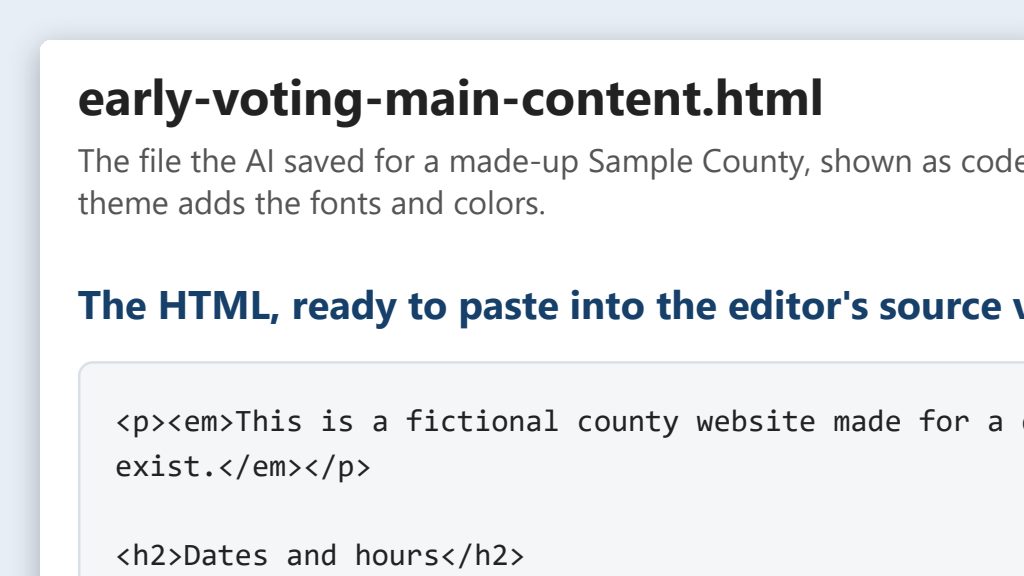 One possible outcome
Say it or type it
Rebuild a page as clean HTML
Green data classification· Public dataCommunicationsITFrom Clean, accessible HTML for any website editorGo to [Page address] on our website and rebuild just the main content of that page, not the menu or footer, as clean HTML I can paste into our website editor's source view. Our site's theme handles fonts and colors, so leave out all styling. Make it accessible: headings in order starting at h2, real lists, data tables with a caption and header cells, link text that says where each link goes, and alt text on every image. Keep every date, time, address, and phone number exactly as it is. Save it as an HTML file in this folder, and tell me what you changed.
Fill in anything in
[brackets]with your own details. - An example from this use caseSee the example: Clean, accessible HTML for any website editor
Say it or type it
Build a new page from a document
Green data classification· Public dataCommunicationsITFrom Clean, accessible HTML for any website editorOur approved early voting schedule is in this folder. Build the early voting page from it the same way, with just what voters need: sites, days, and hours. If the schedule and our current early voting page disagree on anything, tell me before you build it. Save it as a new HTML file.
- An example from this use caseSee the example: Clean, accessible HTML for any website editor
Say it or type it
Check our brand colors for contrast
Green data classification· Public dataCommunicationsITFrom Clean, accessible HTML for any website editorGet our text and background colors from the website's code, including hover colors and any text in our banner images, and check each pair against WCAG 2.1 Level AA for normal and large text. For any pair that fails, suggest the closest shade that passes.
AI can get contrast math wrong. Confirm every pair in the free WebAIM Contrast Checker before you use it. Colors set by the site’s template, like hover colors, are usually your web vendor’s to change.
- See what this prompt made: Two poll worker decks from one prompt
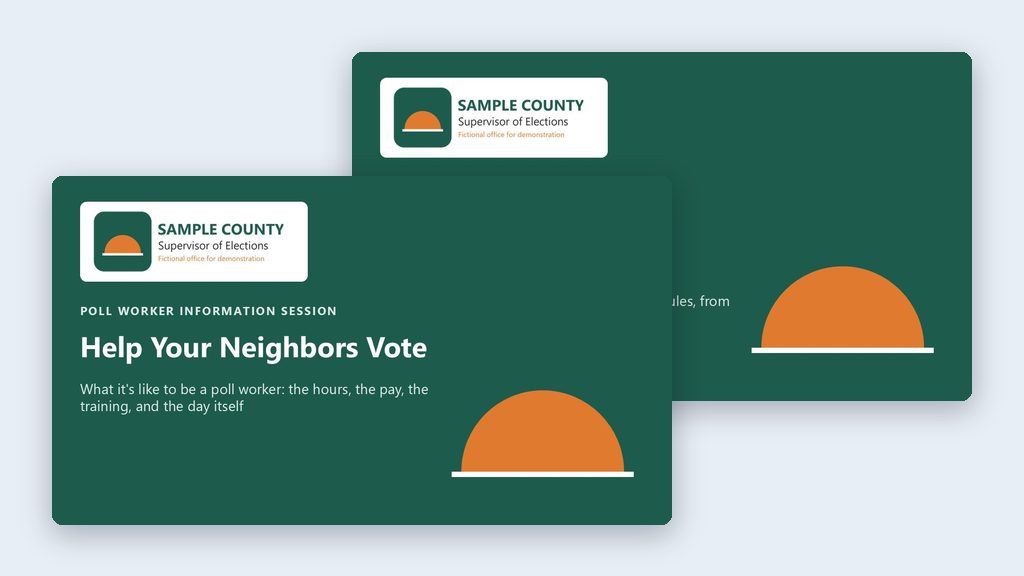 One possible outcome
Say it or type it
Build both decks
Green data classification· Public dataPoll WorkersCommunicationsFrom Two poll worker decks from one promptGo to the Florida Division of Elections website and download the latest Polling Place Procedures Manual. Use it to make two PowerPoint presentations and save them in this folder. 1. A high-level overview for people who are on the fence about becoming a poll worker. Cover the basics they'll worry about: how many hours, pay, training, and what the day is like. 2. A more detailed deck for people who have signed up. Go deeper, so it answers the questions they'll have before their first election. Go to the [Your county] County Supervisor of Elections website and use its colors for the branding. If there's a logo on the site, put it on the title slide. Make the last slide of each deck a list of references with links.
The document it will get: Polling Place Procedures Manual (form DS-DE 11), PDF from the Florida Division of Elections
Fill in anything in
[brackets]with your own details.This is close to word for word how I’d say it. Speak it with a dictation app or type it. Either way, it tells the AI what to do, what to use, and what you want back.
- An example from this use caseSee the example: Two poll worker decks from one prompt
Say it or type it
Fix what's off
Green data classification· Public dataPoll WorkersCommunicationsFrom Two poll worker decks from one promptThe pay and training dates in the overview deck need to match what's on our website's poll worker page. Check that page, fix both decks, and tell me what you changed.
- An example from this use caseSee the example: Two poll worker decks from one prompt
Say it or type it
One more audience
Green data classification· Public dataPoll WorkersCommunicationsFrom Two poll worker decks from one promptMake a third version of the overview deck for high school juniors and seniors who are 16 or 17. Keep it short and upbeat, and save it in this folder.
- See what this prompt made: Election-cycle website refresh from a checklist
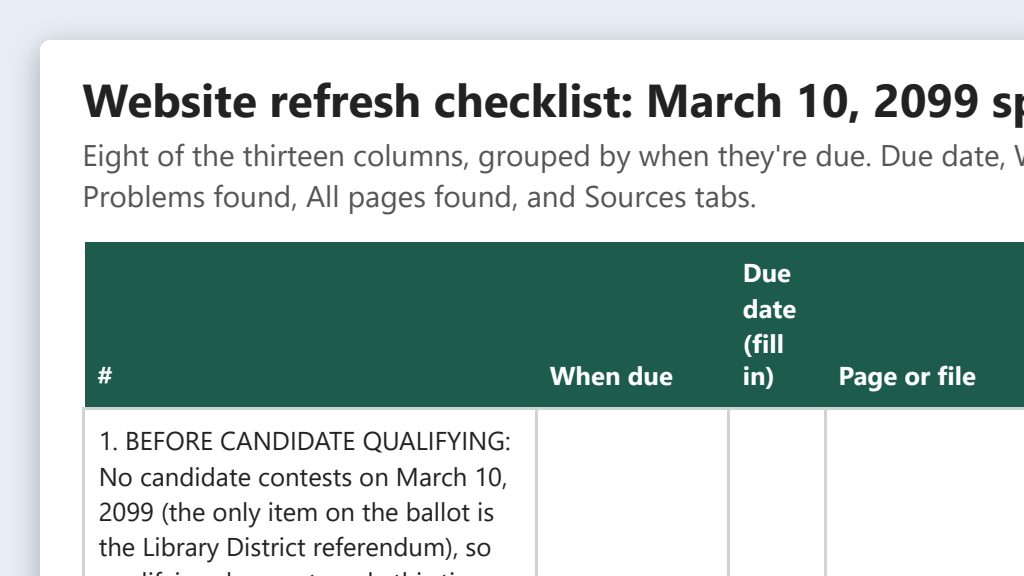 One possible outcome
Say it or type it
Build the refresh checklist
Green data classification· Public dataCommunicationsITAdministrationFrom Election-cycle website refresh from a checklistGo to our website, [Your website], and use its sitemap or main menu to find every page. Build a checklist of the pages that may need updating for the [Election name]: what changes on each page every election, the official source to check it against, and columns for who verifies it and when it's done. Include any linked PDFs that will need a new version, like sample ballots or handbooks. Group the pages by when they're due: before candidate qualifying, before vote-by-mail ballots go out, before early voting, election day and night, and after certification. Add an ongoing group for things that change every month, like registration reports and petition totals. Leave the dates blank. I'll fill them in from our election calendar. Save it as an Excel file in this folder.
Fill in anything in
[brackets]with your own details. - An example from this use caseSee the example: Election-cycle website refresh from a checklist
Say it or type it
Draft one page's update
Green data classification· Public dataCommunicationsITAdministrationFrom Election-cycle website refresh from a checklistThe approved early voting schedule is in this folder. Update the text of our early voting page from it, save the new version here, and give me a list of every old and new line with where it came from in the schedule. If the schedule and the live page disagree on anything, like a date or an address, tell me before you update it.
Want HTML instead of plain text? Ask for it the way the clean HTML use case does.
- An example from this use caseSee the example: Election-cycle website refresh from a checklist
Say it or type it
Sweep for stale dates
Green data classification· Public dataCommunicationsITAdministrationFrom Election-cycle website refresh from a checklistCheck the live pages on the checklist for dates, times, years, and election names. Skip archive pages like past results and minutes, and don't open pages that list individual voters, like potential-ineligibility notices. List anything that doesn't fit this election or today's date, and any weekday that doesn't match its date. Don't fix anything yet.
AI is good at spotting a weekday that doesn’t match a date, but it can be wrong. Check a calendar before you change anything.
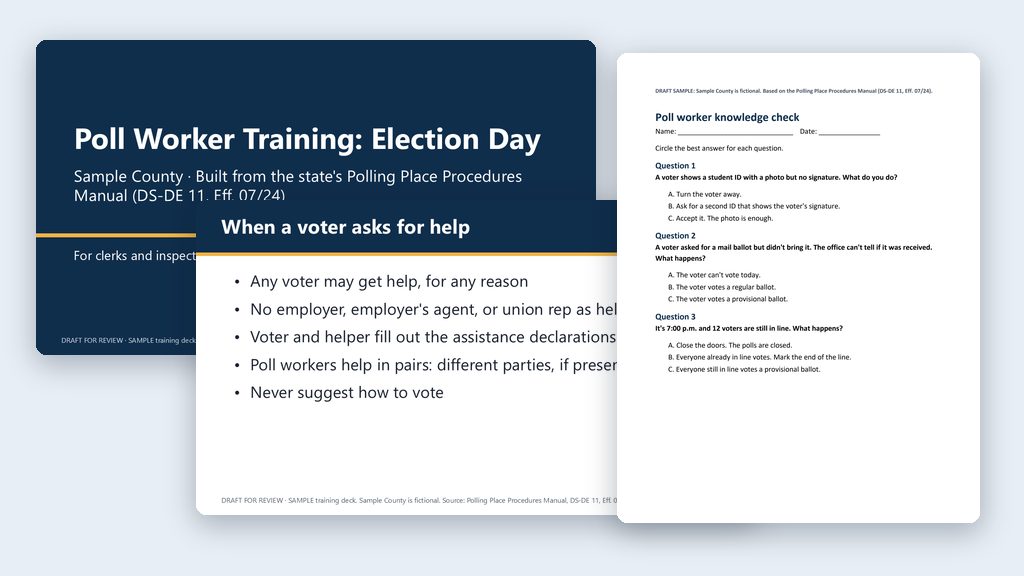 An example from this use caseSee the example: Poll worker training deck with speaker notes
Say it or type it
Build the training deck
Go to the Florida Division of Elections website and download the latest Polling Place Procedures Manual. If our county's poll worker manual is in this folder, use it too, and tell me if it isn't. Use them to build a PowerPoint training deck, about 20 to 25 slides, for [Clerks] who have already signed up. Many are first-timers.

Follow the Election Day timeline: getting ready, opening the polls, checking in voters, special situations like provisional ballots and voters who aren't on the roster, and closing. Write speaker notes on every slide so every trainer says the same thing, and put the manual's printed page number at the end of each note. Add a scenario question every few slides.

If our manual and the state manual disagree, point it out instead of picking one. Leave a clearly marked placeholder wherever our equipment steps go; we'll add those from our own materials. Save the deck in this folder, and make the last slide a list of references with links.
The document it will get: Polling Place Procedures Manual (form DS-DE 11), PDF from the Florida Division of Elections
Fill in anything in
[brackets]with your own details.One audience per deck. Clerks and inspectors have different jobs and different minimum hours.
- An example from this use caseSee the example: Poll worker training deck with speaker notes
Say it or type it
Write the quiz
Now write a 15-question knowledge check from the same manuals, mostly short "what would you do" scenarios. Save it as a Word document in this folder, with the answer key and manual pages on a separate last page.
- See what this prompt made: Precinct and polling place maps from public GIS data
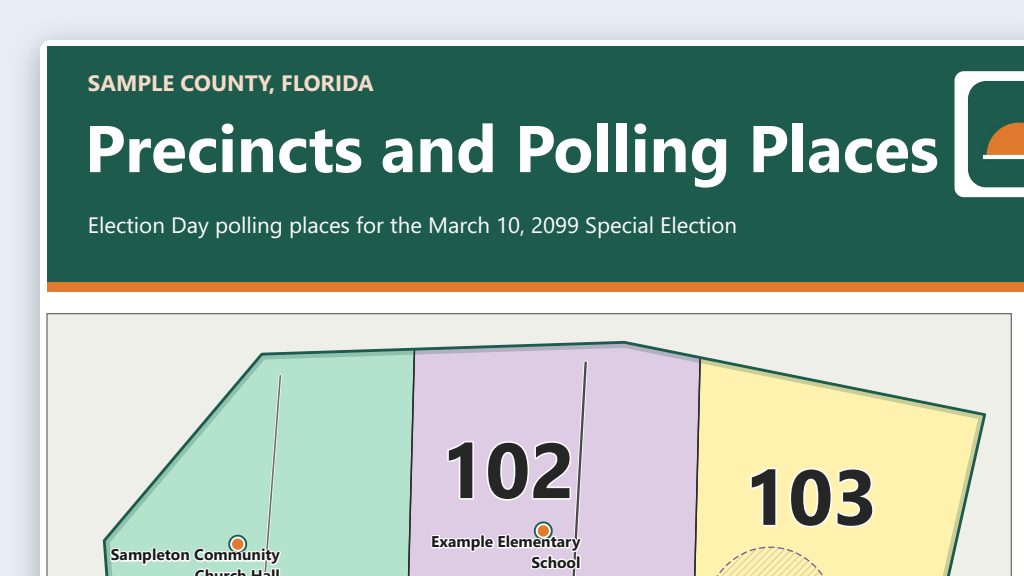 One possible outcome
Say it or type it
Build the wall map
Green data classification· Public dataITPoll WorkersCommunicationsResearch & DataFrom Precinct and polling place maps from public GIS dataThis folder is my maps project. Make a 36 by 48 inch wall map of [Your county] County precincts and polling places for our plotter. Go get the public shapefiles yourself. Get our precinct boundaries and polling places from our office's website or the county's GIS open data site, city limits from the county or city GIS sites, and roads, water, and the county line from the Census Bureau's TIGER/Line files. If sources disagree, tell me which one you used and why. Save the downloads in a data folder with a sources file listing each link, who published it, and the data date. QGIS is installed on this computer. Build the map as a QGIS print layout and save the project, so I can adjust it by hand. Export a PDF for the plotter and a small preview image. Put on a title, the map date, a legend, a north arrow, a scale bar, a polling place list down the side that's readable from 3 feet away, and source credits, plus the line "For reference, not an official boundary determination."
Fill in anything in
[brackets]with your own details.The first time, the AI may ask before each download or script. Read what it’s asking, then say yes.
- An example from this use caseSee the example: Precinct and polling place maps from public GIS data
Say it or type it
Fix what's off
Green data classification· Public dataITPoll WorkersCommunicationsResearch & DataFrom Precinct and polling place maps from public GIS dataPrecinct 12's number is jammed into a corner of its narrow strip, and Precinct 30's number landed out in the water. Move both to the middle of their precincts, on land, and export the PDF again.
- An example from this use caseSee the example: Precinct and polling place maps from public GIS data
Say it or type it
Remember this for next time
Green data classification· Public dataITPoll WorkersCommunicationsResearch & DataFrom Precinct and polling place maps from public GIS dataSave a short instructions file in this folder so you remember where our data comes from, how our maps are laid out, and that this project uses public data only.
- See what this prompt made: Web and social media maps for early voting and drop boxes
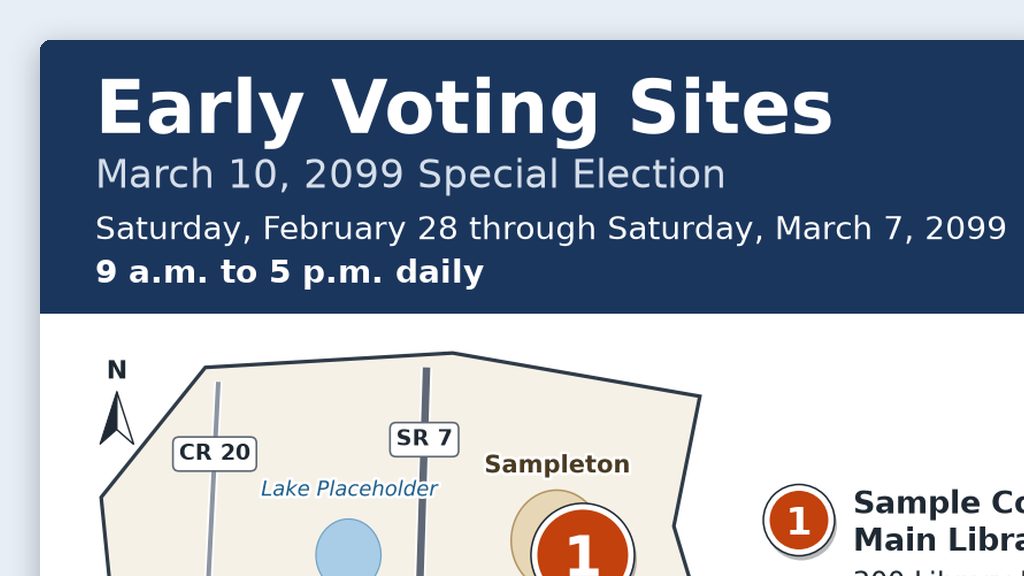 One possible outcome
Say it or type it
Build the list, map, and posts
Green data classification· Public dataCommunicationsSocial MediaFrom Web and social media maps for early voting and drop boxesOur approved list of early voting sites for the [Election name] is in this folder. Use it to make everything we need for our website and social media, and save it all in this folder. Make a numbered list of the sites with name, address, dates, and hours (and drop box locations, if the list has them), plus a clean HTML version for our web page. Then make a simple map of [Your county] County with each site as a large numbered marker that matches the list. Build it from real GIS data, like the Census Bureau's TIGER/Line files for the county line and major roads. Make a 1080 by 1080 image for the website and a 1080 by 1350 one for Facebook and Instagram posts, with the title, the map date, and our website address on it. Last, write alt text for the map that points people to the list, and a short social media caption. Copy names, addresses, and hours exactly as they are in the list, and tell me anything that's missing.
Fill in anything in
[brackets]with your own details.Already have a maps folder from the precinct maps use case? Do this there, so it reuses the same base map.
- An example from this use caseSee the example: Web and social media maps for early voting and drop boxes
Say it or type it
Update when something changes
Green data classification· Public dataCommunicationsSocial MediaFrom Web and social media maps for early voting and drop boxesSite 3's hours changed to 9 a.m. to 6 p.m. Update everything that shows hours, including the images, and the map date, and tell me what you changed.
- See what this prompt made: Election project templates: roll last cycle's plan forward with the right dates
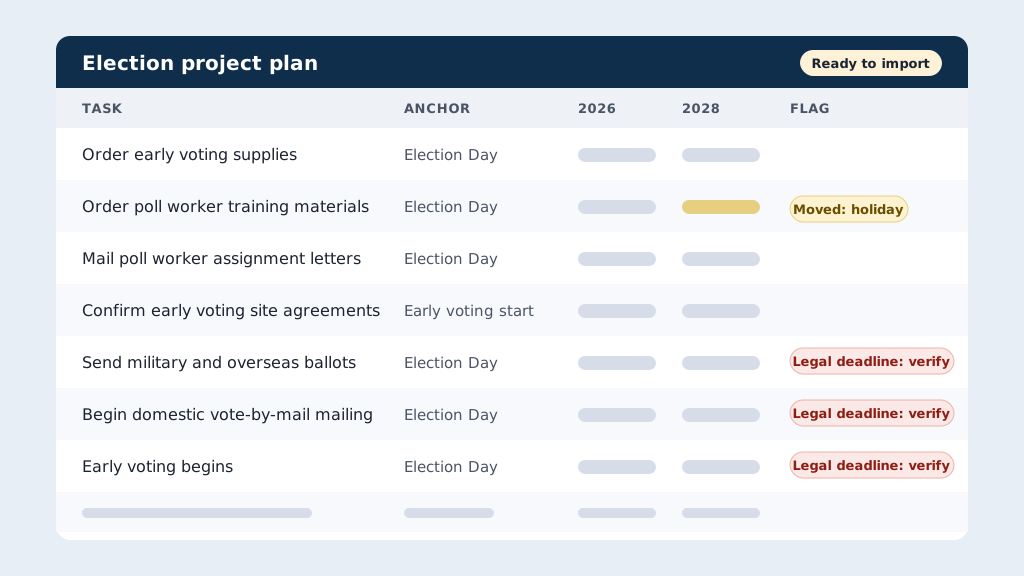 One possible outcome
Say it or type it
Rebuild the project for the next election
Yellow data classification· Think firstAdministrationITFrom Election project templates: roll last cycle's plan forward with the right datesThe CSV in this folder is our Asana project for the [Past election]. Rebuild it for the [Next election] as a new CSV I can import into Asana. Check Asana's help page on CSV imports so the columns and date format are right. Don't just shift every date by the same amount. For each task, figure out the milestone it really depends on, like Election Day, book closing, the vote-by-mail mailing, the start of early voting, or certification, and how many days before or after that it falls. Go to the Florida Division of Elections website and get the dates for both elections, including our county's actual early voting days. Our office's holiday list is in this folder. Move anything that lands on a weekend or holiday to the business day before, unless it's tied to a deadline in law or has to happen on or after a milestone. Flag those for me instead. Also save a review spreadsheet with each task, its milestone, the old and new dates, and anything you moved or flagged. Leave the original export alone and the assignees blank.
Fill in anything in
[brackets]with your own details.This is the job I did for real. Say it your way; the parts that matter are the milestones, the holiday list, and the flags.
- An example from this use caseSee the example: Election project templates: roll last cycle's plan forward with the right dates
Say it or type it
Fix an anchor
Yellow data classification· Think firstAdministrationITFrom Election project templates: roll last cycle's plan forward with the right datesMailing poll worker assignment letters should count back from the start of early voting, not Election Day. Fix that, redo the dates, and update both files.
- An example from this use caseSee the example: Election project templates: roll last cycle's plan forward with the right dates
Say it or type it
Save a master for each election type
Yellow data classification· Think firstAdministrationITFrom Election project templates: roll last cycle's plan forward with the right datesNow make a master template for each kind of election we run: presidential preference primary, primary, and general. Keep the tasks and the milestone each one depends on, with no dates and no names, so next cycle we can start from the master.
- See what this prompt made: Website postings required by Florida law: a checklist
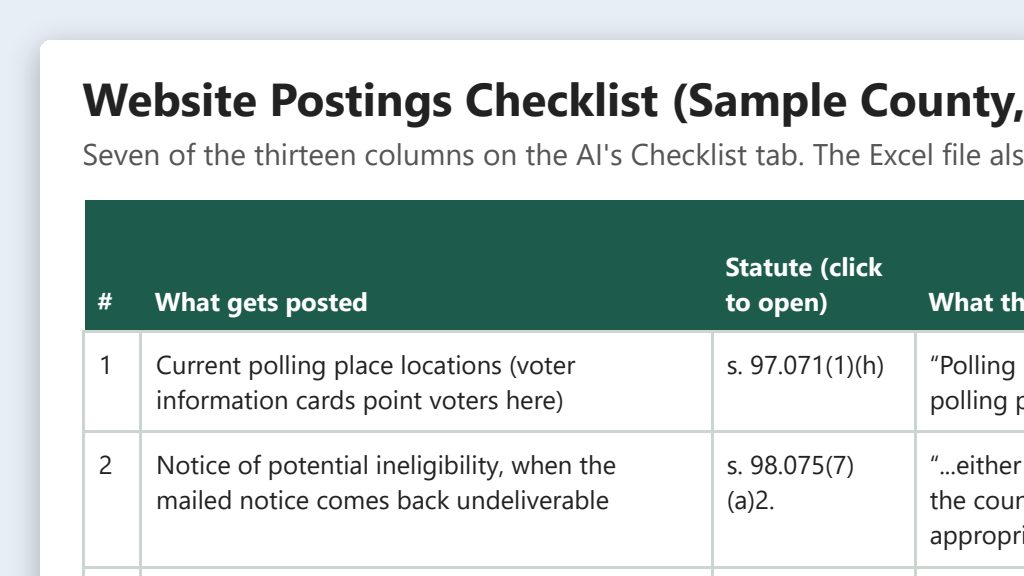 One possible outcome
Say it or type it
Build the checklist and check our site
Green data classification· Public dataAdministrationCommunicationsITFrom Website postings required by Florida law: a checklistGo to Online Sunshine, the Florida Legislature's statutes site, and read the current Florida Election Code, chapters 97 through 106, plus section 668.6076. Find every place where the law requires or allows the supervisor of elections or the canvassing board to post something on a website. For anything amended recently, read the History line at the end of the section and tell me which version applies to our next election. Then go to our office's website at [Web address] and find the page that covers each one. For a page that lists individual voters, like potential-ineligibility notices, just confirm the page is there. Don't open the notices. Save an Excel checklist in this folder. For each posting, give me the statute section and subsection with a link, a short quote of the law's words, the timing, whether our website is required or just one of the options, and the page on our site that covers it, or "no page found."
Fill in anything in
[brackets]with your own details. - An example from this use caseSee the example: Website postings required by Florida law: a checklist
Say it or type it
Recheck after a legislative session
Green data classification· Public dataAdministrationCommunicationsITFrom Website postings required by Florida law: a checklistThe Legislature passed new election laws this year. For each row of the checklist in this folder, read the section's History line on Online Sunshine to find this year's session laws, then open those on laws.flrules.org. Tell me what changed, when it takes effect, and whether it's in effect for our next election.
- An example from this use caseSee the example: Website postings required by Florida law: a checklist
Say it or type it
Recheck after a website move
Green data classification· Public dataAdministrationCommunicationsITFrom Website postings required by Florida law: a checklistWe just moved to a new website platform, and the old sitemap is in this folder. Check that each old address still lands on the right page. Then check our site against the checklist again and tell me which required pages or links are missing now. For a page that lists individual voters, just confirm it's there.
- See what this prompt made: Website content audit: old dates, stale links, mixed messages
 One possible outcome
Say it or type it
Audit the whole site
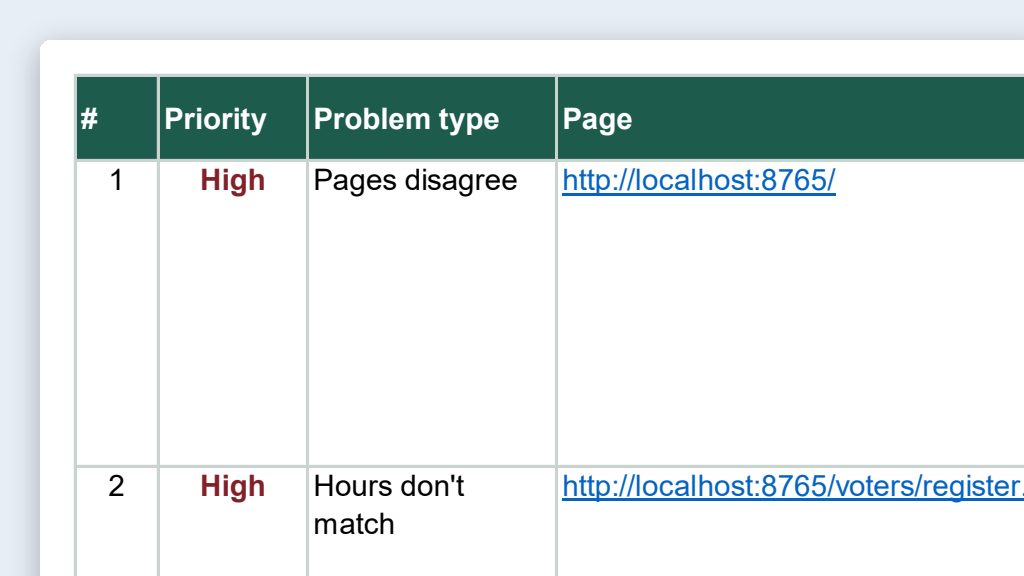
Green data classification· Public dataCommunicationsITAdministrationFrom Website content audit: old dates, stale links, mixed messagesGo to our office's website at [Web address] and read every public page, starting from the sitemap if there is one. Skip any page that lists individual voters, like potential-ineligibility notices. Include the title of each PDF we link to and the date printed on it. For big archives like past results and monthly reports, just test the links. Our correct office details are in the Word file in this folder. Flag old dates and past elections, hours, phone numbers, or addresses that don't match our correct details, pages that say different things about the same topic, our office name written different ways, and vague link text like "click here." Test every link and tell me which ones are broken or redirect somewhere else. Save an Excel workbook in this folder with one row per problem: the page, the exact text, why you flagged it, and a suggested fix. Add a second tab that lists every page you checked.
Fill in anything in
[brackets]with your own details.The audit is only as good as your correct-details file. Have it approved before you start.
- An example from this use caseSee the example: Website content audit: old dates, stale links, mixed messages
Say it or type it
Brand and wording check
Green data classification· Public dataCommunicationsITAdministrationFrom Website content audit: old dates, stale links, mixed messagesNow check the wording against our brand board in this folder. Flag things like "absentee ballot" where we say "vote-by-mail ballot," headings in all caps, or a casual tone on a legal notice page, and add them as a new tab.
- An example from this use caseSee the example: Website content audit: old dates, stale links, mixed messages
Say it or type it
Check again after the fixes
Green data classification· Public dataCommunicationsITAdministrationFrom Website content audit: old dates, stale links, mixed messagesWe fixed the problems marked "real" in the workbook. Recheck just those rows on the live site and tell me which ones are still there, gone, or changed.
- See what this prompt made: Find contradictions across your own public materials
 One possible outcome
Say it or type it
Find where we contradict ourselves (and the law)
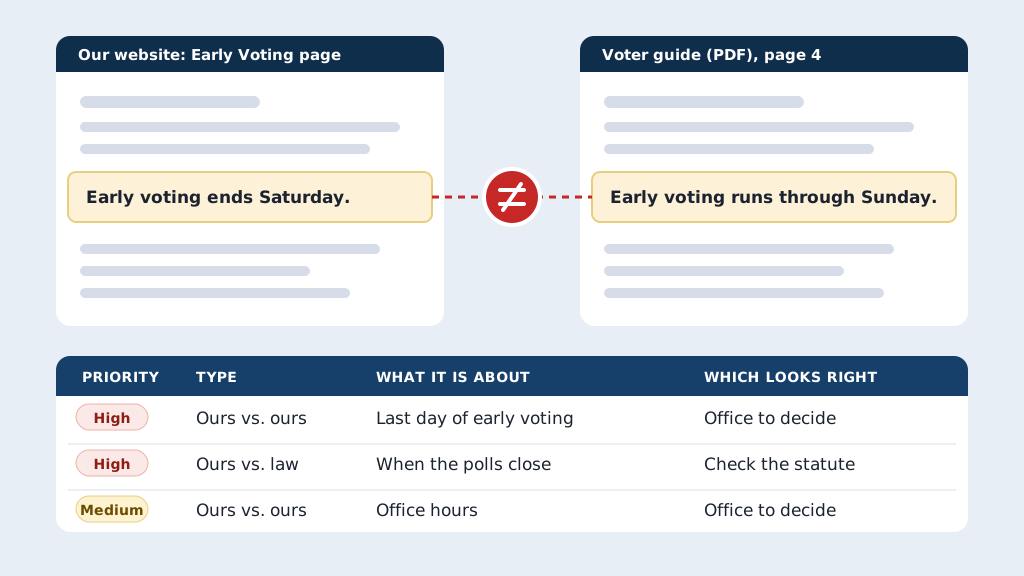
Green data classification· Public dataAdministrationCommunicationsVote-by-mailPoll WorkersFrom Find contradictions across your own public materialsRead everything our office tells voters in public: every page on our website at [Web address], the PDFs we link to (voter guide, polling place list, notices, and reports), this year's news releases, and anything I saved in this folder. Skip pages that list individual voters. Save a copy of each source in a Sources folder here. Find every place where we say two different things about the same fact: dates, hours, addresses, phone numbers, deadlines, polling places, or who can do what. Then check what we tell voters against Florida law on Online Sunshine and the Division of Elections website. If a law changed this year, use the version in effect for our next election. Note it when two state sources disagree, too. Save an Excel workbook in this folder with one row per conflict: what it's about, what each source says, a link to each, and which one you think is right, or "office to decide." Put anything that could mislead a voter about when, where, or how to vote at the top. Add a tab listing every source you read.
Fill in anything in
[brackets]with your own details.Big site? Start with one topic, like vote-by-mail, across every source.
- An example from this use caseSee the example: Find contradictions across your own public materials
Say it or type it
A short report for the Supervisor
Green data classification· Public dataAdministrationCommunicationsVote-by-mailPoll WorkersFrom Find contradictions across your own public materialsI marked each row real, not a problem, or fixed. Turn the real ones into a short Word report for our Supervisor and save it in this folder. Put the ones that affect voters first, one line each, then a table of the rest grouped by where the fix goes: website, voter guide, notices, or social media.
- An example from this use caseSee the example: Find contradictions across your own public materials
Say it or type it
Check again after the fixes
Green data classification· Public dataAdministrationCommunicationsVote-by-mailPoll WorkersFrom Find contradictions across your own public materialsWe fixed the rows marked "fixed." Read those pages and documents again and tell me which ones still say the old thing, including any copies we missed.
- See what this prompt made: Clean up your brand: one look for web, social, print, and email
 One possible outcome
Say it or type it
Inventory and decision worksheet
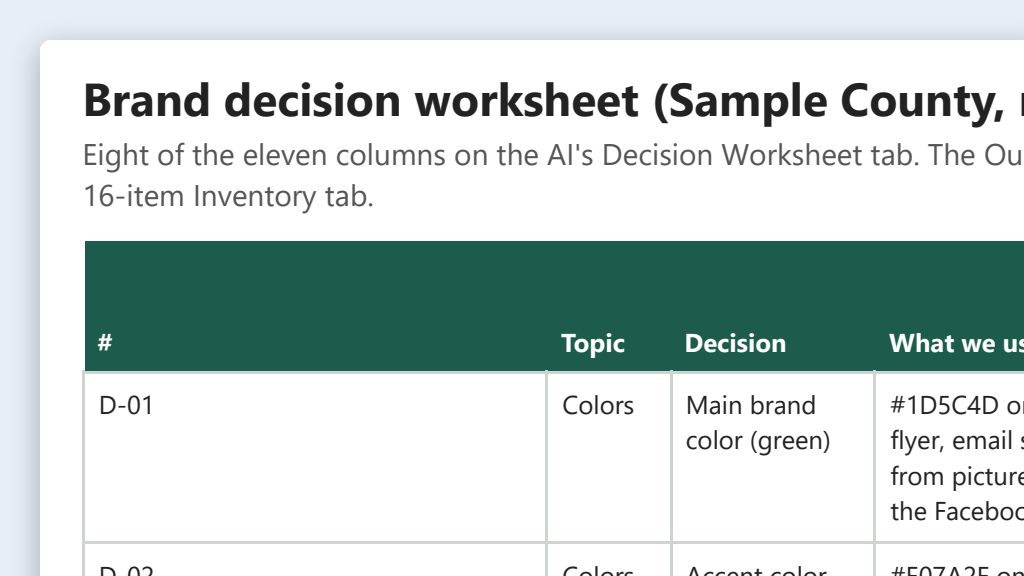
Green data classification· Public dataCommunicationsSocial MediaFrom Clean up your brand: one look for web, social, print, and emailWe're cleaning up our office's brand. Go to our website, [Your website], and get the exact colors and fonts from the site's code. Read the PDFs on the site too, like our voter guide, and take their colors and fonts from the files. Then look at the screenshots and photos in this folder of our social media, email signature, and printed materials. Make an Excel workbook in this folder with two tabs. The first is an inventory: each item, where it appears, its colors, fonts, logo version, how it writes the office name, and its tone. Mark any color or font you guessed from a picture. The second is a decision worksheet with one row per decision: colors, fonts, logo, office name, key terms, tone, and contact details like our web address, phone numbers, branch names, and hours. Show what we use now, a suggestion with a one-line reason, and blank columns for our choice and who approved it. Give each color's contrast ratio on white, and point out any text on a photo or colored background.
Fill in anything in
[brackets]with your own details.Colors read from screenshots and photos are estimates. The website’s code, the PDFs themselves, and your original design files are exact.
- An example from this use caseSee the example: Clean up your brand: one look for web, social, print, and email
Say it or type it
Plan the rollout
Green data classification· Public dataCommunicationsSocial MediaFrom Clean up your brand: one look for web, social, print, and emailWe approved our brand board, and it's in this folder now. Add a rollout plan tab listing everything that carries our brand, who owns it, what has to change, and whether it's free or needs a reprint or a vendor, with the free, high-visibility items first.
Board not signed off yet? Say “our draft brand board” instead, so the plan doesn’t claim approval.
- An example from this use caseSee the example: Clean up your brand: one look for web, social, print, and email
Say it or type it
Check one piece against the brand board
Green data classification· Public dataCommunicationsSocial MediaFrom Clean up your brand: one look for web, social, print, and emailCheck [File name] in this folder against our brand board and list every place it doesn't follow it, with the fix. Leave alone any wording that quotes the law.
Fill in anything in
[brackets]with your own details. - See what this prompt made: Accessibility checks for web pages and PDFs
 One possible outcome
Say it or type it
Check our pages
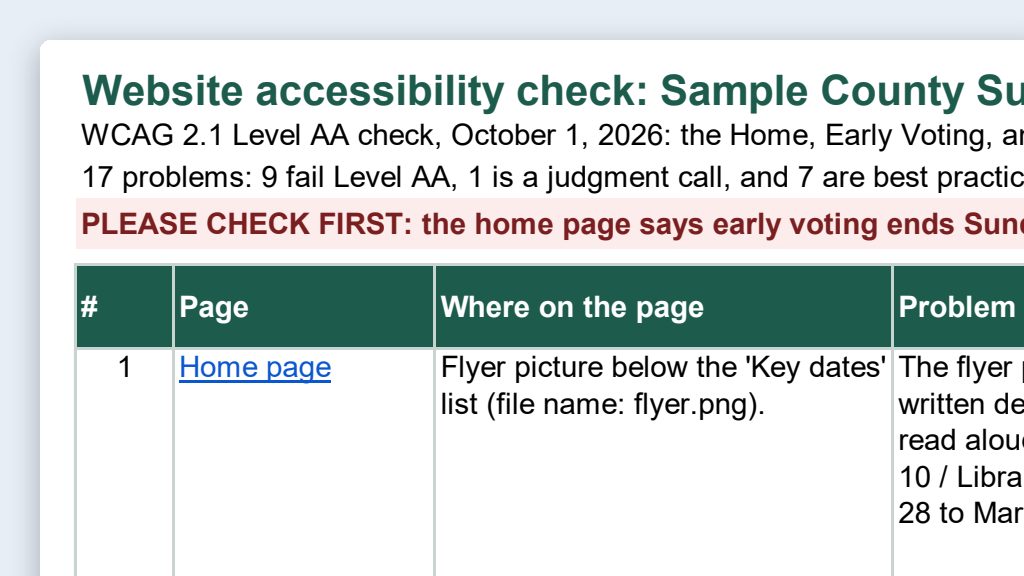
Green data classification· Public dataCommunicationsITFrom Accessibility checks for web pages and PDFsGo to our website and check these pages for accessibility problems under WCAG 2.1 Level AA: [Page addresses]. Look at the page title in the browser tab, the headings, alt text, link text, tables, reading level, and anything that depends on color alone. For images that are missing alt text, suggest some. Save a report in this folder as an Excel file, one row per problem, with the page, where the problem is, why it matters, how to fix it, and whether we can fix it in our page editor or need our web vendor. At the end, list what you couldn't check just by reading the page, like color contrast and keyboard use.
Fill in anything in
[brackets]with your own details. - An example from this use caseSee the example: Accessibility checks for web pages and PDFs
Say it or type it
Turn a PDF into a web page
Green data classification· Public dataCommunicationsITFrom Accessibility checks for web pages and PDFsDownload the PDF at [PDF address] into this folder and turn it into an accessible web page. Save the clean HTML as a file here, keep every fact and number exactly as written, and write alt text for any images or charts. If anything in the PDF looks inconsistent, like totals that don't add up, keep it as written and list it for me.
Fill in anything in
[brackets]with your own details.Compare the result to the PDF line by line. Tables and numbers are where copy errors happen.
- An example from this use caseSee the example: Accessibility checks for web pages and PDFs
Say it or type it
Rewrite in plain language
Green data classification· Public dataCommunicationsITFrom Accessibility checks for web pages and PDFsRewrite the main text of [Page address] at about an 8th-grade reading level, without changing any fact, date, or rule. Save it as a two-column table, original next to rewrite, so someone who knows the procedure can check it. After the table, list any spots where the page and the law or a state form seem to disagree.
Fill in anything in
[brackets]with your own details. 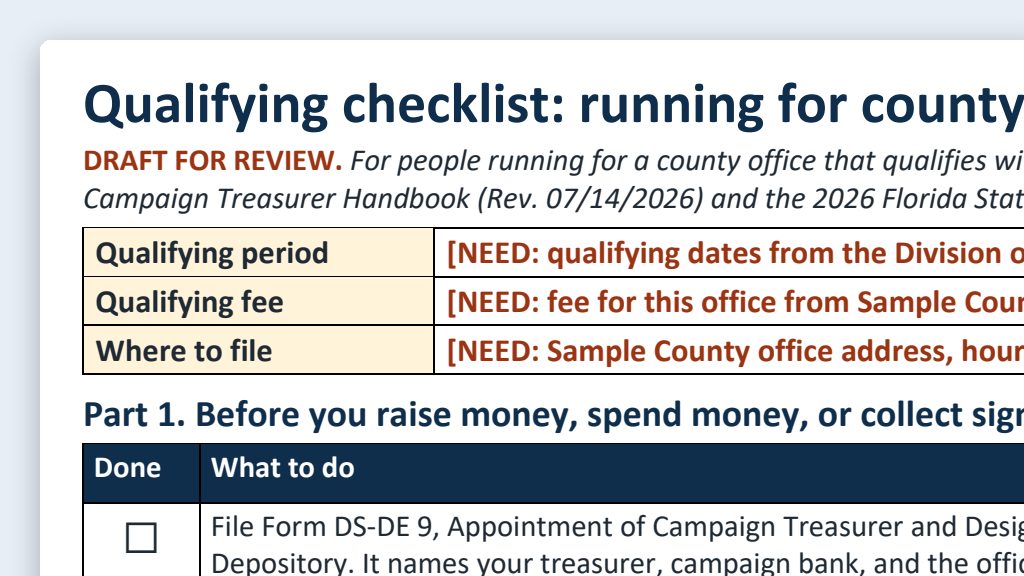 An example from this use caseSee the example: Candidate handbook quick reference: qualifying checklist and FAQ
Say it or type it
Build the checklist and FAQ
Green data classification· Public dataCandidate QualifyingFrom Candidate handbook quick reference: qualifying checklist and FAQGo to the Florida Division of Elections website and download the current Candidate and Campaign Treasurer Handbook, plus the qualifying handbooks it points candidates to. Get our own qualifying guide from our website too, if we post one. Also check the Qualifying Information page for notices about law changes. Use them to make two Word documents, saved in this folder: 1. A one-page qualifying checklist for a candidate running with a party for [County office], in three parts: before qualifying, what has to be turned in by the end of qualifying, and after qualifying. Give the form number and the printed handbook page for each item. 2. A 10-question FAQ for our website: short, plain answers to what candidates ask us most, each with its handbook page. For questions like "Am I eligible?", say we can't give legal advice and point them to the Division or their own attorney. Leave dollar amounts and calendar dates blank for us to fill in; rules like "within 10 days" are fine. End both with the handbook's reminder that this is a summary, and the handbook and Florida law control.
The document it will get: 2026 Candidate and Campaign Treasurer Handbook, PDF from the Florida Division of Elections
Fill in anything in
[brackets]with your own details.One checklist per kind of candidate (with a party, no party, write-in, petition) and office. If this cycle’s qualifying has closed, add “for the next qualifying period.”
- An example from this use caseSee the example: Candidate handbook quick reference: qualifying checklist and FAQ
Say it or type it
Compare with the current forms
Green data classification· Public dataCandidate QualifyingFrom Candidate handbook quick reference: qualifying checklist and FAQNow compare the handbook with the current qualifying forms on the Division's Forms page, and tell me where they differ.
Handbooks can lag behind the forms. The Forms page shows changes first.
- An example from this use caseSee the example: Candidate handbook quick reference: qualifying checklist and FAQ
Say it or type it
Make a desk card
Green data classification· Public dataCandidate QualifyingFrom Candidate handbook quick reference: qualifying checklist and FAQShrink the "turned in by the end of qualifying" part into a desk card for qualifying week, half a letter page (two to a sheet), with a check box and a line for initials next to each item. Save it in this folder.
- See what this prompt made: Plain-language explainers for statutes and rules
 One possible outcome
Say it or type it
Explain a statute in plain language
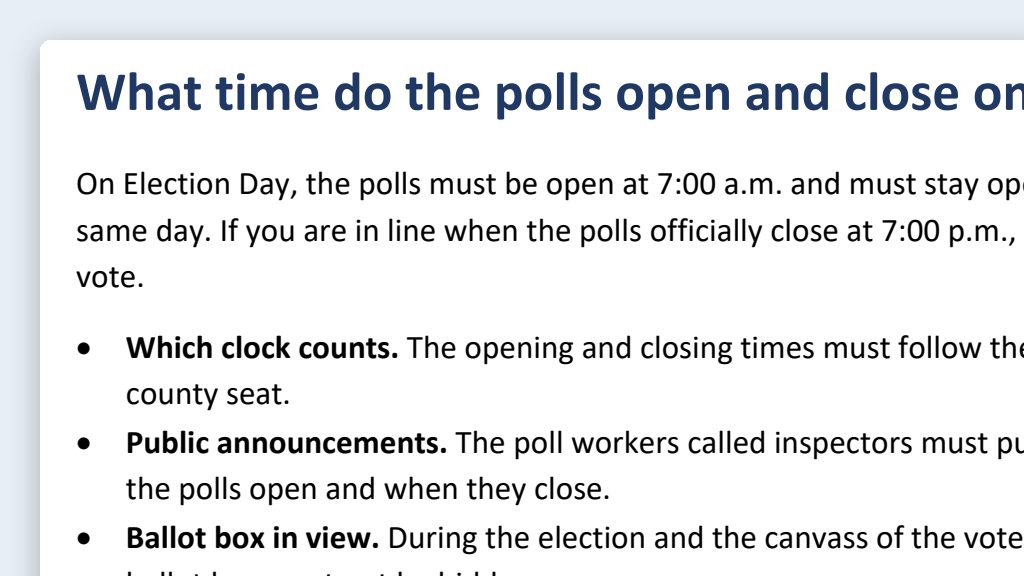
Green data classification· Public dataCommunicationsAdministrationFrom Plain-language explainers for statutes and rulesGo to Online Sunshine and get the current text of section 100.011(1), Florida Statutes. Save a copy in this folder with the date you got it. If the History line at the bottom shows a change passed this year, find out when it takes effect and tell me which text applies to our next election. Write a short explainer for voters visiting our website: a question as the headline, a two- or three-sentence answer, and a few bullets if they help. Keep the legal meaning exactly the same: "must" stays required, "may" stays optional, and every time and number stays as written. End with the citation and a link to the statute, and save it as a Word document in this folder.
Swap in whichever section your voters ask about. One section or subsection at a time works best.
- An example from this use caseSee the example: Plain-language explainers for statutes and rules
Say it or type it
Short version for a sign or post
Green data classification· Public dataCommunicationsAdministrationFrom Plain-language explainers for statutes and rulesGive me three one- or two-sentence versions of the approved explainer for a lobby sign, with every time and number exactly the same and the citation at the end.
- See what this prompt made: Canvassing board and meeting notices from your template
 One possible outcome
Say it or type it
Draft the new notice
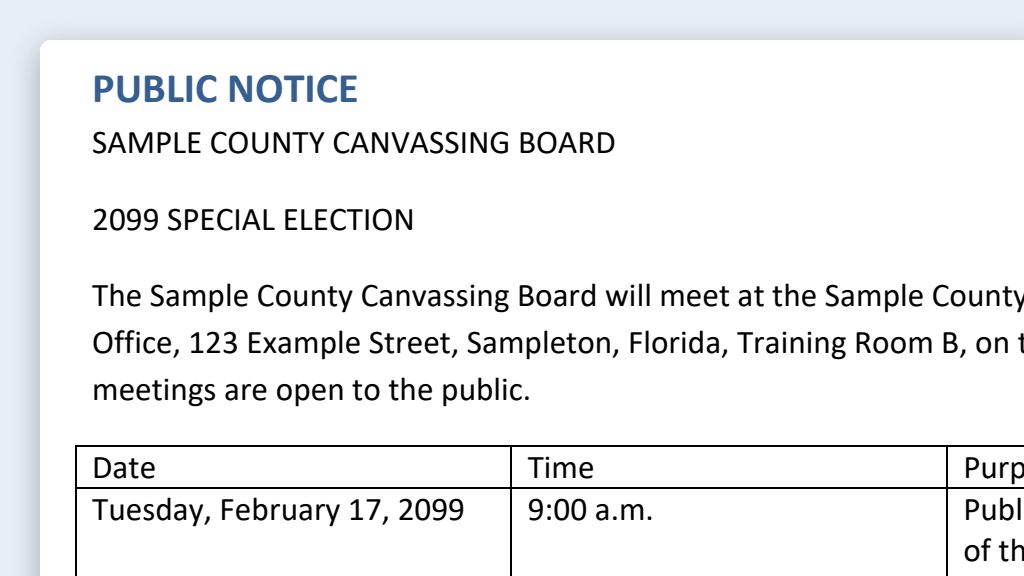
Green data classification· Public dataAdministrationCommunicationsFrom Canvassing board and meeting notices from your templateOur last approved canvassing board notice is in this folder, along with a file with the new details: the election, board members, alternates, each meeting's date, start time, and purpose, and the location. Make a new notice from the old one and save it as a Word document in this folder. Keep the wording, order, and format exactly the same, including the statutory language, the appeal-record statement, and the accessibility statement. Only change the details from the new file. If the old notice has a name, date, time, room, phone number, email, or web address I didn't give you a new value for, flag it instead of carrying the old one forward. At the end, give me a table of every detail you changed, with the old value and the new value. If you see a likely typo or wrong citation in the fixed wording, don't fix it; list it after the table.
- An example from this use caseSee the example: Canvassing board and meeting notices from your template
Say it or type it
Web and social versions
Green data classification· Public dataAdministrationCommunicationsFrom Canvassing board and meeting notices from your templateThe notice is approved. Turn it into a short news item for our website and a social media post, with every date, time, and place exactly as written and a link to the full notice. If there are more than a few meetings, also give me a short post with just the first meeting and the link.
- See what this prompt made: Social media posts and PSA scripts from a press release
 One possible outcome
Say it or type it
Scripts and posts from the release
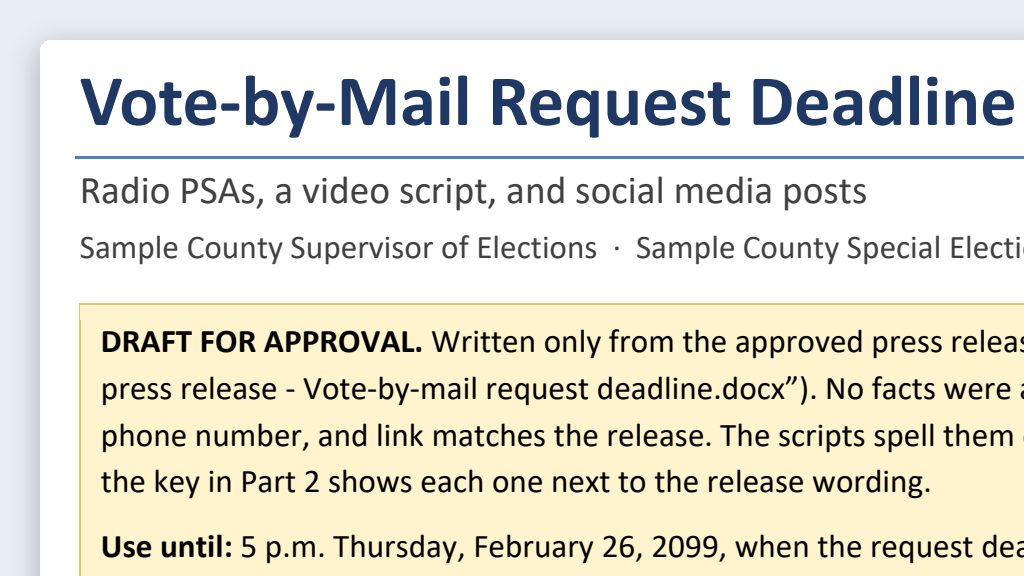
Green data classification· Public dataCommunicationsSocial MediaFrom Social media posts and PSA scripts from a press releaseOur approved press release is in this folder. Turn it into public service announcement scripts at 15, 30, and 60 seconds for radio, plus a 15-second video script with the on-screen text next to the audio. Then write two short post options each for [Facebook, Instagram, and X], with alt text for a simple graphic to go with each one. Write the scripts for the ear, the way a person would say web addresses and phone numbers out loud, and put the word count and about how long it runs under each script. Every date, time, address, and link has to match the release exactly, and don't add any fact the release doesn't have, even one you know. Save everything in one Word document in this folder.
Fill in anything in
[brackets]with your own details.Speak it with a dictation app or type it. Name only the platforms your office actually uses.
- See what this prompt made: Misinformation response: quick, factual, cited replies
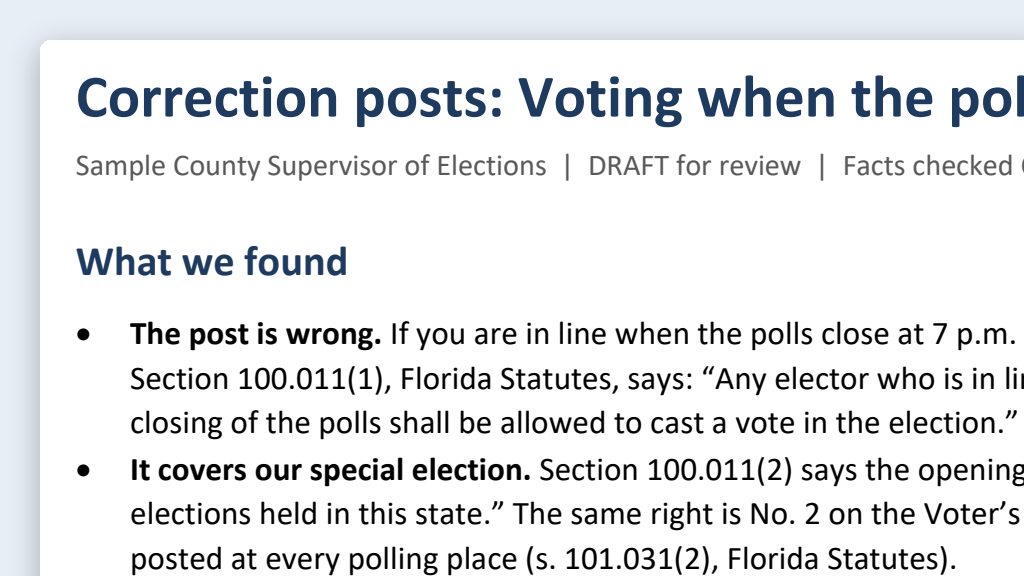 One possible outcome
Say it or type it
Draft the correction
Green data classification· Public dataCommunicationsSocial MediaFrom Misinformation response: quick, factual, cited repliesA post going around says [The claim, in your own words]. Find out what's actually true. Check the Florida Statutes on Online Sunshine, the Division of Elections website, and the [Your county] County Supervisor of Elections website. If the law changed this year, tell me which version applies to our next election and when the new one starts. If our website says something different from the law, tell me that too. Then write a short, calm correction we can post. Start by saying we've seen questions about this topic, without repeating the rumor. Then give the accurate information plainly, with a link to the source, and tell people where they can check for themselves on our website. Give me a short version for X and a longer one for Facebook, and save both in a Word document in this folder with your sources at the end.
Fill in anything in
[brackets]with your own details.Speak it or type it. Describe the claim; don’t include who posted it.
- An example from this use caseSee the example: Misinformation response: quick, factual, cited replies
Say it or type it
Build a library before the election
Green data classification· Public dataCommunicationsSocial MediaFrom Misinformation response: quick, factual, cited repliesBefore the next election, write pre-approved correction templates for the rumors we hear most: polling hours, vote-by-mail deadlines, drop boxes, what ID to bring, and how results are reported on election night. Use the same three steps, get each fact from the official source, and leave anything that changes each election in brackets. If the law changed this year, tell me which version applies to our next election. Save each template as a separate Word document in this folder with its sources.
- An example from this use caseSee the example: Misinformation response: quick, factual, cited replies
Say it or type it
Ask the chatbot our voters ask
Green data classification· Public dataCommunicationsSocial MediaFrom Misinformation response: quick, factual, cited repliesI want to see what a chatbot would tell a voter in [Your county] County. The 15 voter questions are in questions.txt in this folder. Answer each one the way a chatbot would answer a voter, without looking at our website first, and write each answer down before you go to the next. Then go to the [Your county] County Supervisor of Elections website and save the text of the pages that cover those topics in this folder. Make a Word document with a table: the question, the chatbot-style answer, what our website says, and whether they match. List every date or deadline that is wrong or out of date, and name the page on our website that I should fix.
Fill in anything in
[brackets]with your own details.Use a brand-new session, so earlier chats don’t leak in. Then ask the same 15 questions in the other chatbots your voters use, one new chat each, save what they say in the folder, and say: Add the answers in this folder to the table.
- See what this prompt made: Voter outreach events: checklists, flyers, and volunteer schedules
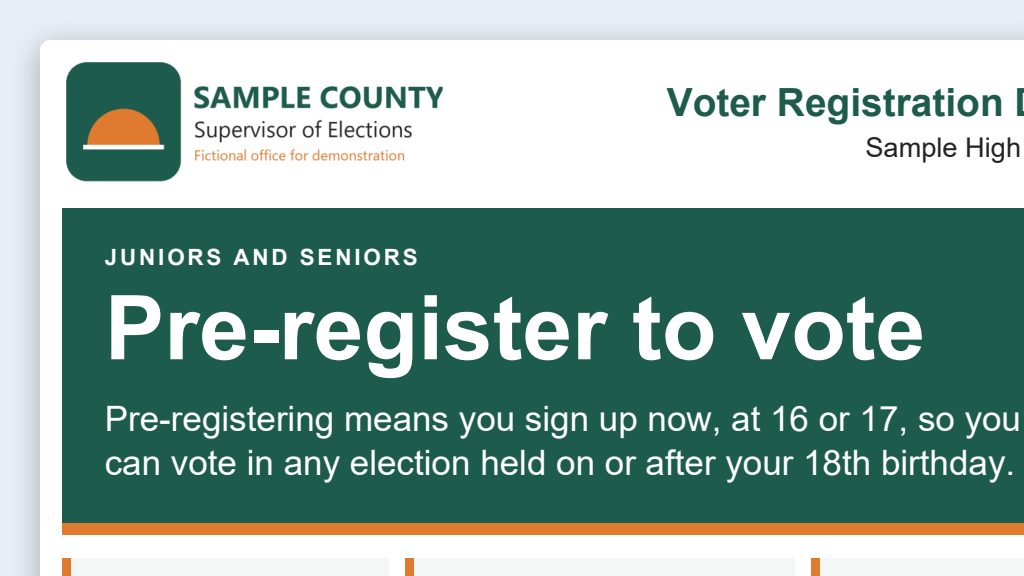 One possible outcome
Say it or type it
Build the event kit
Green data classification· Public dataCommunicationsAdministrationFrom Voter outreach events: checklists, flyers, and volunteer schedulesWe're holding a voter registration drive at [School or place]. Build me an event kit and save it in this folder: 1. A planning checklist by timeline, from six weeks out through follow-up, including how completed applications get back to our office safely the same day. 2. A one-page flyer for high school juniors and seniors, as a Word document, that explains preregistration in one plain sentence. 3. An Excel volunteer schedule in 30-minute slots, with the start time in one cell I can change, and stations for welcome, registration help, and questions. Leave the name and contact columns blank. Get the eligibility and preregistration wording from the Florida Division of Elections website, and our contact information and colors from the [Your county] County Supervisor of Elections website. If there's a logo on our site, put it on the flyer. List your sources at the end of the checklist.
Fill in anything in
[brackets]with your own details.Speak it or type it. Change the audience and stations to fit your event.
- An example from this use caseSee the example: Voter outreach events: checklists, flyers, and volunteer schedules
Say it or type it
Add the date and times
Green data classification· Public dataCommunicationsAdministrationFrom Voter outreach events: checklists, flyers, and volunteer schedulesThe drive is [Day, date, and times], in the cafeteria during lunch periods. Put that on the flyer and set the schedule to match.
Fill in anything in
[brackets]with your own details. - An example from this use caseSee the example: Voter outreach events: checklists, flyers, and volunteer schedules
Say it or type it
Reuse it for a different event
Green data classification· Public dataCommunicationsAdministrationFrom Voter outreach events: checklists, flyers, and volunteer schedulesMake a second version of the checklist and flyer for a civics night at the public library, for adults, on [Day, date, and time]. It ends after our office closes, so plan for completed applications to reach us the next business day. Save them in this folder.
Fill in anything in
[brackets]with your own details. - See what this prompt made: Meeting summaries: minutes drafts from public meeting recordings
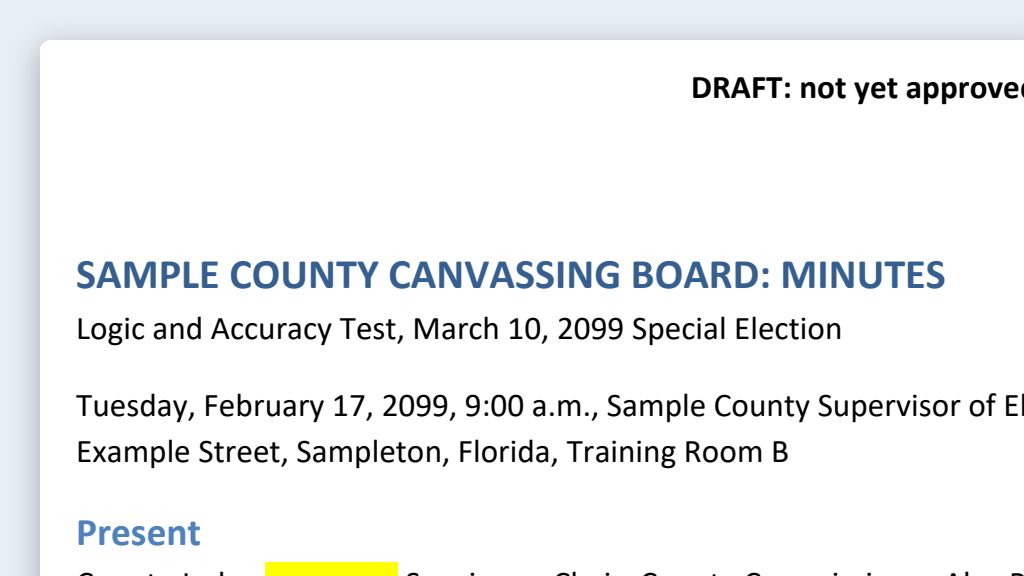 One possible outcome
Say it or type it
Draft the minutes
Green data classification· Public dataAdministrationFrom Meeting summaries: minutes drafts from public meeting recordingsThe transcript and agenda for our [Meeting name and date] are in this folder, along with approved minutes from a past meeting of the same board. Draft minutes for this meeting in the same format as the past minutes, and save them as a Word document in this folder. Minutes record actions, not opinions. For every motion, give who made it, who seconded it, its exact wording, and the vote. If the transcript doesn't show a count or an "opposed" call, say so instead of writing "unanimously." Put the transcript timestamp in brackets at the end of each item, so I can find it in the recording and delete it before approval.
Fill in anything in
[brackets]with your own details.Speak it or type it. Take any voter names or details out of the transcript before you start.
- An example from this use caseSee the example: Meeting summaries: minutes drafts from public meeting recordings
Say it or type it
Fix what you checked
Green data classification· Public dataAdministrationFrom Meeting summaries: minutes drafts from public meeting recordingsI listened at 00:21:10. The board adopted a 10 a.m. start time, not 9. Fix that in the minutes.
Use your own timestamp and what you heard.
- An example from this use caseSee the example: Meeting summaries: minutes drafts from public meeting recordings
Say it or type it
Pull out the action items
Green data classification· Public dataAdministrationFrom Meeting summaries: minutes drafts from public meeting recordingsMake a separate list of every follow-up someone agreed to: what, who by title, any deadline, and the timestamp. Save it in this folder.
- See what this prompt made: AI as a research assistant for election law and guidance
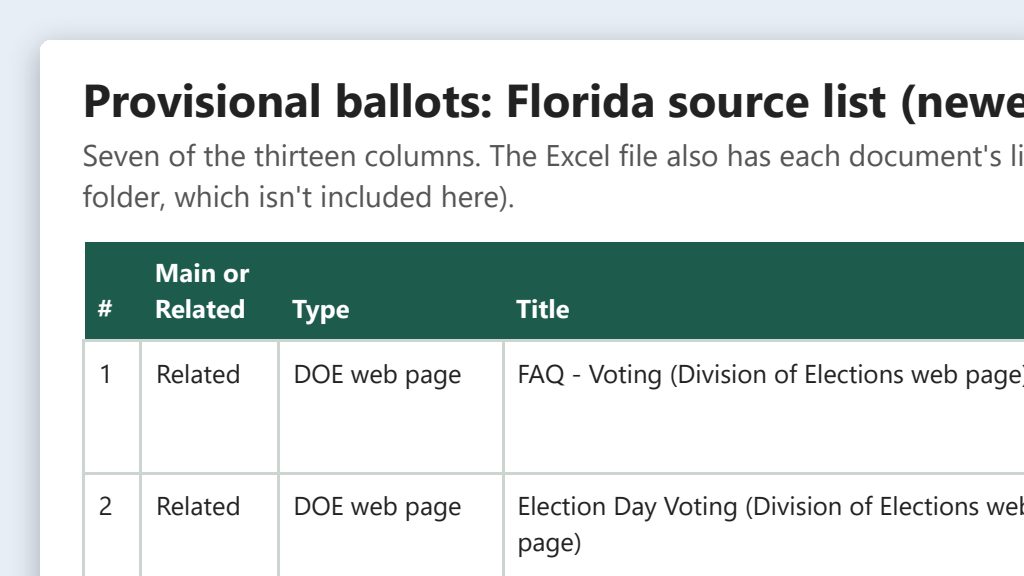 One possible outcome
Say it or type it
Find everything the state has published
Green data classification· Public dataResearch & DataAdministrationFrom AI as a research assistant for election law and guidanceFind everything Florida has published on [Topic]: Division of Elections publications, forms, directives, and advisory opinions, plus the statutes on Online Sunshine and the rules on flrules.org. Download each document into this folder. Then make an Excel list with the title, the link, the date or version shown on the page, and one sentence on what it covers, newest first. Mark each one Main or Related. If a page shows no date, say so. For statutes, give the edition and the last law that changed the section. If Online Sunshine shows a version that isn't in effect yet, save the one in effect today too. For now I just want the list, not a summary of the law.
Fill in anything in
[brackets]with your own details.Speak it or type it. A narrow topic works best: “vote-by-mail ballot requests” beats “vote-by-mail.”
- An example from this use caseSee the example: AI as a research assistant for election law and guidance
Say it or type it
What changed since last session?
Green data classification· Public dataResearch & DataAdministrationFrom AI as a research assistant for election law and guidanceWhat has changed in Florida election law or Division of Elections rules on this topic since the last legislative session? Add a tab to the workbook with the bill or rule number, its official link, the effective date, whether it's in effect for our next election, and one plain sentence on what changed.
- See what this prompt made: Election calendar builder: state dates to an office master calendar
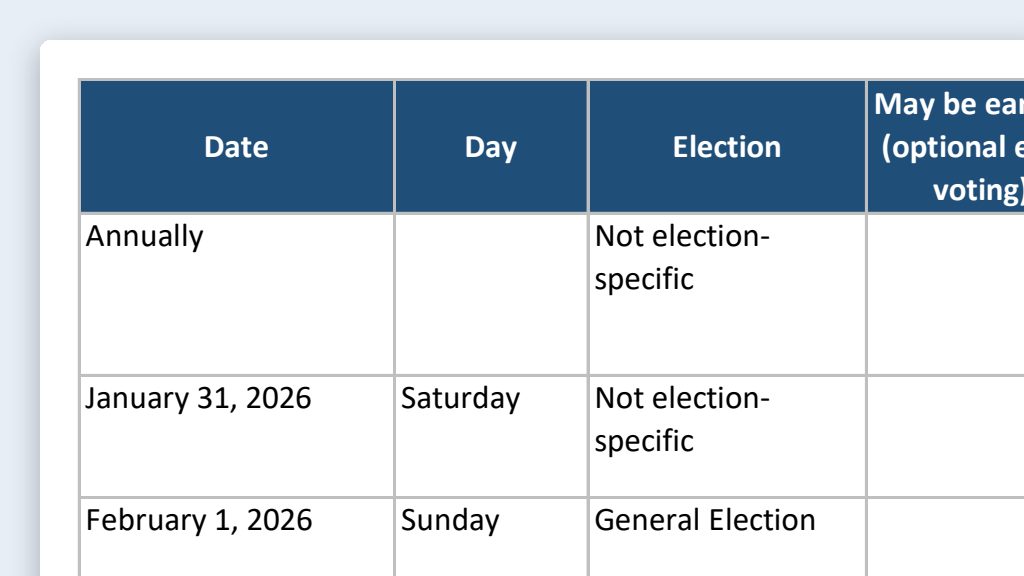 One possible outcome
Say it or type it
Build the master calendar
Green data classification· Public dataAdministrationResearch & DataFrom Election calendar builder: state dates to an office master calendarGo to the Florida Division of Elections website and download the Excel and PDF versions of the [Year] Election Dates and Activities Calendar. Use it to build our office master calendar as an Excel workbook, and save it in this folder. Put one date per row, sorted by date, with the day of the week, the election, the activity in the calendar's own words and in plain language, and the law the calendar cites. For a date range, use the first date and keep the full range in another column. Copy every date exactly from the calendar; don't work any out yourself. Add a blank "Verified by" column for our initials. Put activities that only apply to other agencies on their own tab, unless they start one of our deadlines, like the state certifying results. Our early voting starts [Date]. Flag every row the calendar says may be earlier for counties with optional early voting days, but don't change the date. When you're done, tell me how many rows you made.
The document it will get: 2026 Election Dates and Activities Calendar, PDF from the Florida Division of Elections
Fill in anything in
[brackets]with your own details.If your county doesn’t offer optional early voting days, leave out the early voting paragraph.
- An example from this use caseSee the example: Election calendar builder: state dates to an office master calendar
Say it or type it
Add our own deadlines
Green data classification· Public dataAdministrationResearch & DataFrom Election calendar builder: state dates to an office master calendarNow add the local deadlines from the list in this folder. If the list doesn't say whether to count calendar or business days, ask me. Also tell me when a counted date lands on a weekend or holiday.
- An example from this use caseSee the example: Election calendar builder: state dates to an office master calendar
Say it or type it
Make the Outlook file
Green data classification· Public dataAdministrationResearch & DataFrom Election calendar builder: state dates to an office master calendarMake an .ics calendar file from the rows that have initials in "Verified by," as all-day events with the source in each description. Tell me how many events it has.
Only checked dates go into Outlook, so the calendar people actually look at never shows an unverified date.
- See what this prompt made: Name badges for every poll worker
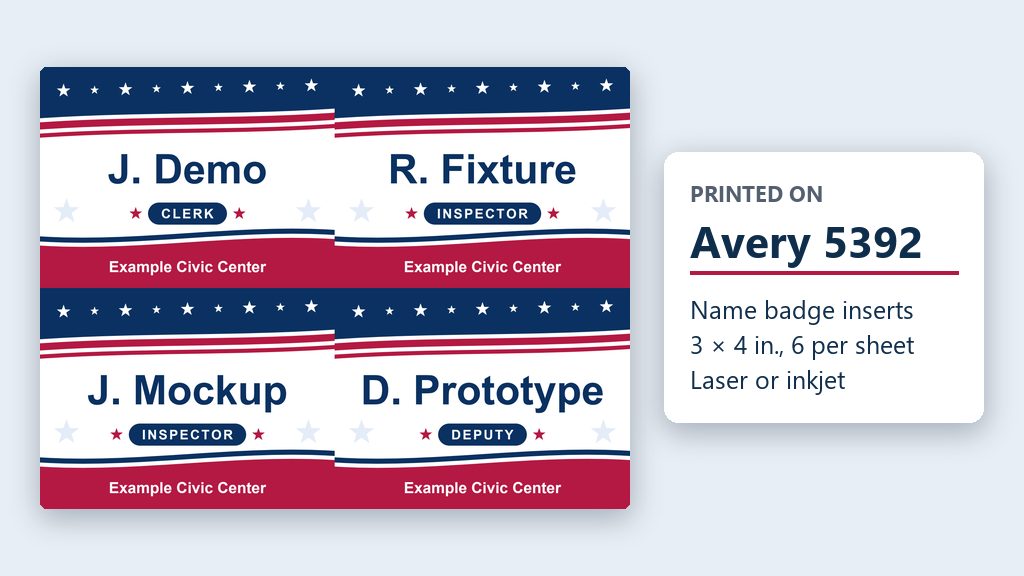 One possible outcome
Say it or type it
Make the badges
I put two lists of our poll workers in this folder, one for early voting and one for Election Day, with their names, titles, and locations. Make name badges for all of them on Avery [Product number]. Look up that product on Avery's website so the PDF lines up with the sheet.

Each badge gets their first initial and last name, their title, and their location. Give them a colorful red, white, and blue background so they aren't plain white. Sort them by location and save the PDF in this folder.
Fill in anything in
[brackets]with your own details.The Avery product number is on the box. We used 5392. Rather use your office’s colors? Name them instead.
- An example from this use caseSee the example: Name badges for every poll worker
Say it or type it
Late additions
We added a few people. They're in new_workers.xlsx in this folder. Make a PDF with just their badges.
- See what this prompt made: Brand board from your public website
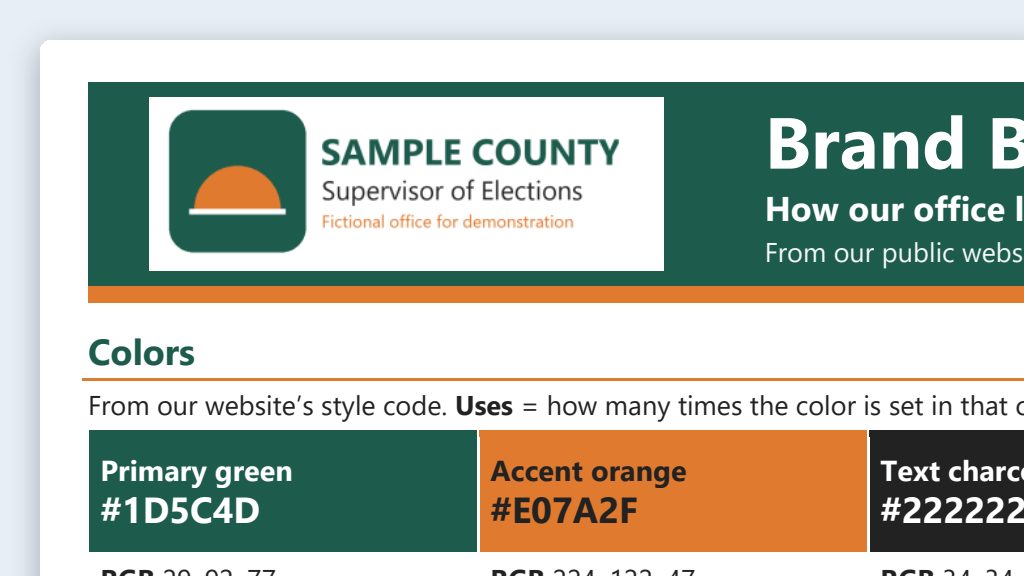 One possible outcome
Say it or type it
Build the brand board from our website
Green data classification· Public dataSocial MediaCommunicationsFrom Brand board from your public websiteGo to the [Your county] County Supervisor of Elections website and build a brand board our staff can follow when they write posts and make graphics. Pull our colors from the site's style code, with hex codes and how often the site uses each one, plus our fonts, and save a copy of our logo in this folder. Look at the official social media accounts linked from our site or our Facebook page for our tone, the hashtags we use, and how we sign off, and quote real examples from our posts and pages. Add a short list of words we use and words we don't, like "vote-by-mail ballot," not "absentee ballot." Save the brand board as a Word document in this folder. Keep it to one page if you can, with a list of where each item came from on a second page.
Fill in anything in
[brackets]with your own details.Speak it or type it. If your office already has a style guide, put a copy in the folder and say “start from the style guide in this folder.”
- An example from this use caseSee the example: Brand board from your public website
Say it or type it
Check the colors for contrast
Green data classification· Public dataSocial MediaCommunicationsFrom Brand board from your public websiteCheck every text-and-background color pair on the brand board for WCAG contrast, and add a table showing which pairs pass for normal text, which pass only for large text, and which fail. Don't change our colors.
Confirm every ratio yourself in the free WebAIM Contrast Checker.
- An example from this use caseSee the example: Brand board from your public website
Say it or type it
Make it standing instructions
Green data classification· Public dataSocial MediaCommunicationsFrom Brand board from your public websiteThe brand board is approved. Make a short CLAUDE.md from it that I can copy into any folder where we make posts or graphics, with our colors, fonts, tone, hashtags, and sign-offs. Add that images never show realistic ballots, voting equipment, or real people, and never redraw our seal or logo.
Using ChatGPT? Say AGENTS.md instead of CLAUDE.md. Board not signed off yet? Say “the draft brand board” instead, so the file doesn’t claim approval.
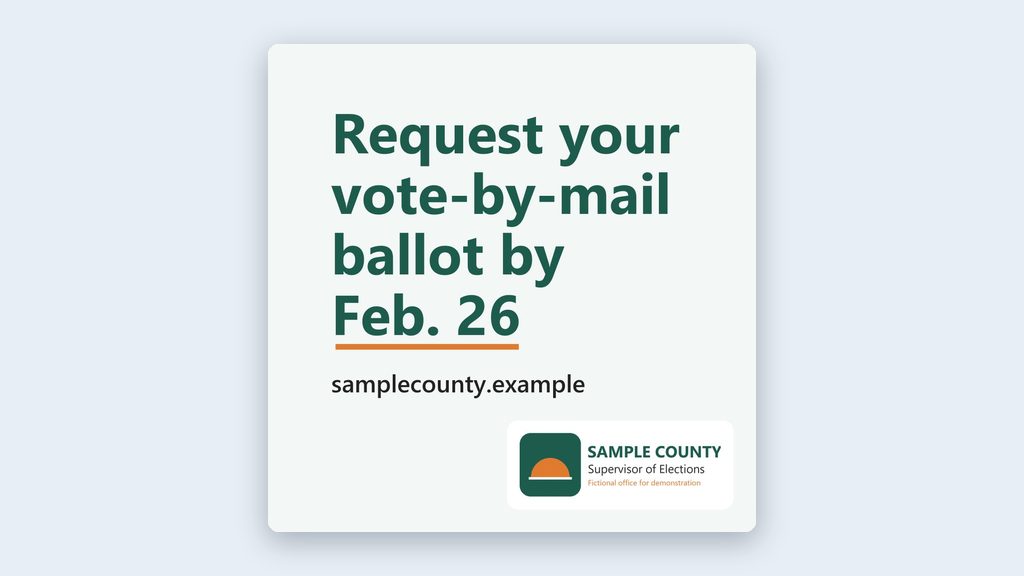 An example from this use caseSee the example: On-brand image prompts, with firm limits
Say it or type it
Make the graphic (ChatGPT desktop app)
Green data classification· Public dataSocial MediaCommunicationsFrom On-brand image prompts, with firm limitsOur approved brand board is in this folder. Make three options for a square Instagram graphic about [Topic], in our brand colors, as a simple flat illustration with one icon like a calendar, a clock, or an envelope. Leave the top third empty for a headline we'll add ourselves, and the bottom right corner empty for our real logo. No words or numbers in the image, and no people, ballots, voting equipment, buildings, maps, flags, seals, or logos. Save the images in this folder, and write alt text for each one with a placeholder where our headline will go.
Fill in anything in
[brackets]with your own details.Speak it or type it. Add the headline and logo yourself in Canva, PowerPoint, or Adobe Express. Image tools often misspell words.
- An example from this use caseSee the example: On-brand image prompts, with firm limits
Say it or type it
Write the image prompts (Claude)
Green data classification· Public dataSocial MediaCommunicationsFrom On-brand image prompts, with firm limitsOur approved brand board is in this folder. Write three image prompts for a square Instagram graphic about [Topic] that follow the brand board, with the same limits: flat illustration, no words, no people, ballots, voting equipment, seals, or logos, and empty space for our headline and logo. Save them in this folder with alt text for each.
Fill in anything in
[brackets]with your own details.Claude doesn’t make images. Open the same folder in Codex in the ChatGPT desktop app and say: “Make the images from the prompts in this folder.”
- See what this prompt made: On-brand image prompts, with firm limitsOne possible outcome
Say it or type it
Make a text-only card (Claude or ChatGPT)
Green data classification· Public dataSocial MediaCommunicationsFrom On-brand image prompts, with firm limitsMake a text-only square graphic for Instagram in our brand colors and fonts, with the headline "[Headline]" and our website address. Put our real logo file from this folder in the bottom right corner. Save it as a PNG in this folder, with alt text that includes every word on the card.
Fill in anything in
[brackets]with your own details.No AI image at all: Claude builds the card with code, so the words are typed, not drawn. ChatGPT may use its image tool instead, so read every letter. Your logo file needs to be in the folder.
- See what this prompt made: Election-cycle content calendar with a verification table
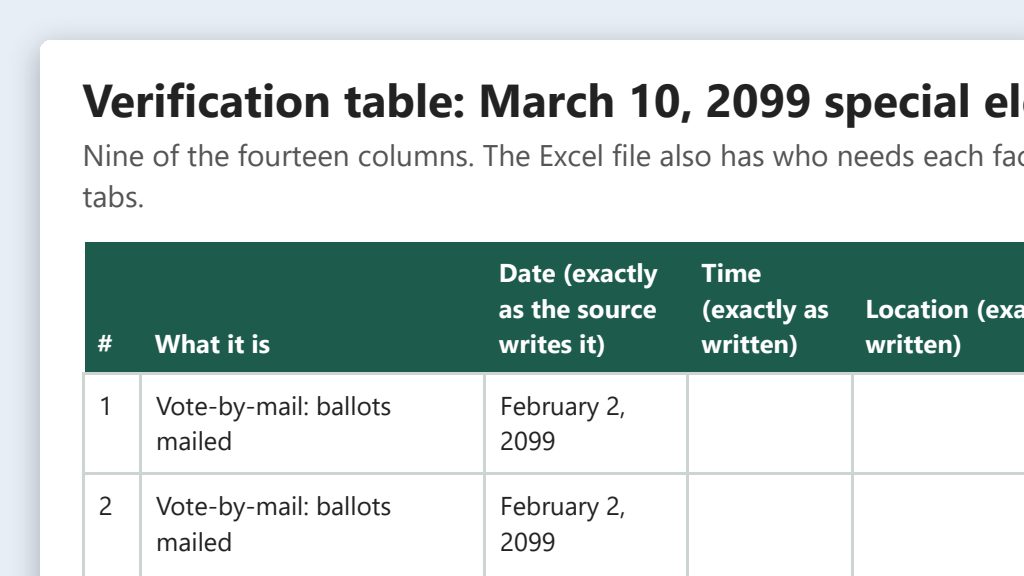 One possible outcome
Say it or type it
Build the verification table
Green data classification· Public dataSocial MediaCommunicationsFrom Election-cycle content calendar with a verification tableWe're planning social media posts for the [Election]. Go to the Florida Division of Elections website and download the current Election Dates and Activities Calendar; it's on the Division's Publications page. Then save our registration, vote-by-mail, early voting, poll worker, and results pages from the [Your county] County Supervisor of Elections website into this folder, along with our canvassing board schedule and poll worker training schedule. Build an Excel verification table of every date, time, and location voters or poll workers need, with the source and the exact words from it on each row. Copy dates and times exactly as the source writes them, and add a column with the real date so we can sort. Flag anywhere two sources disagree. Leave two blank columns, Verified by and Date verified, for us to fill in.
The document it will get: 2026 Election Dates and Activities Calendar, PDF from the Florida Division of Elections
Fill in anything in
[brackets]with your own details.Speak it or type it. If your early voting site list, poll worker training schedule, or results-night plan isn’t on your website yet, put a copy in the folder and say so.
- An example from this use caseSee the example: Election-cycle content calendar with a verification table
Say it or type it
Build the posting calendar
Green data classification· Public dataSocial MediaCommunicationsFrom Election-cycle content calendar with a verification tableThe verification table is signed off. Add a posting calendar on a new tab, from today through the vote-by-mail cure deadline after Election Day: a heads-up two weeks before each deadline, a reminder the day before, a post each early voting day with that day's hours, and posts on Election Day morning and results night. If a heads-up date has already passed, mark it so we can decide whether to post today. Every post should name the table row it depends on.
Change the timing to match how your office posts.
- An example from this use caseSee the example: Election-cycle content calendar with a verification table
Say it or type it
Put it in Outlook
Green data classification· Public dataSocial MediaCommunicationsFrom Election-cycle content calendar with a verification tableAlso save the posting calendar as an .ics file I can import into Outlook, with each post as an all-day event and its platforms and table row in the notes.
In classic Outlook: File, Open & Export, Import/Export, then “Import an iCalendar (.ics) or vCalendar file.” Choose Open as New to keep it as its own calendar. In Outlook on the web: Calendar, Add calendar, Upload from file. An import is a snapshot: if a date changes, fix the table, delete the old calendar, and import a fresh file.
- See what this prompt made: One message, five platforms
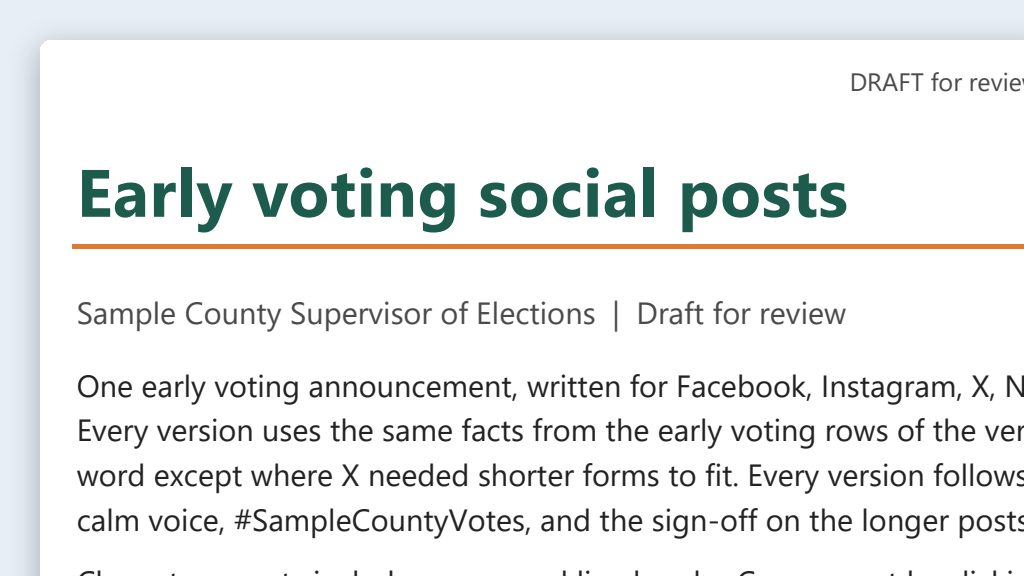 One possible outcome
Say it or type it
Draft all five platforms
I need one announcement turned into posts for Facebook, Instagram, X, Nextdoor, and LinkedIn. The facts are in the [Topic] rows of the verification table in this folder. Our brand board is here too, so follow its tone, hashtags, and sign-off.

Every version should say the same thing, just sized for each platform and its audience. Keep the X version within 280 characters, counting a link as 23, and show a character count after each post. Write alt text for the image.

Save everything in one Word document in this folder.
Fill in anything in
[brackets]with your own details.Not on all five platforms? Name only the ones your office uses.
- An example from this use caseSee the example: One message, five platforms
Say it or type it
Make the graphic
Make a text-only square graphic for the Instagram post in our brand colors, with just the headline and our website address, and our real logo file from this folder in the corner. Save it in this folder.
Claude builds a card like this with code, so the words are typed, not drawn by an image tool. ChatGPT may use its image tool, so read every letter. For an illustrated graphic, see On-brand image prompts.
- See what this prompt made: Emergency and schedule-change templates
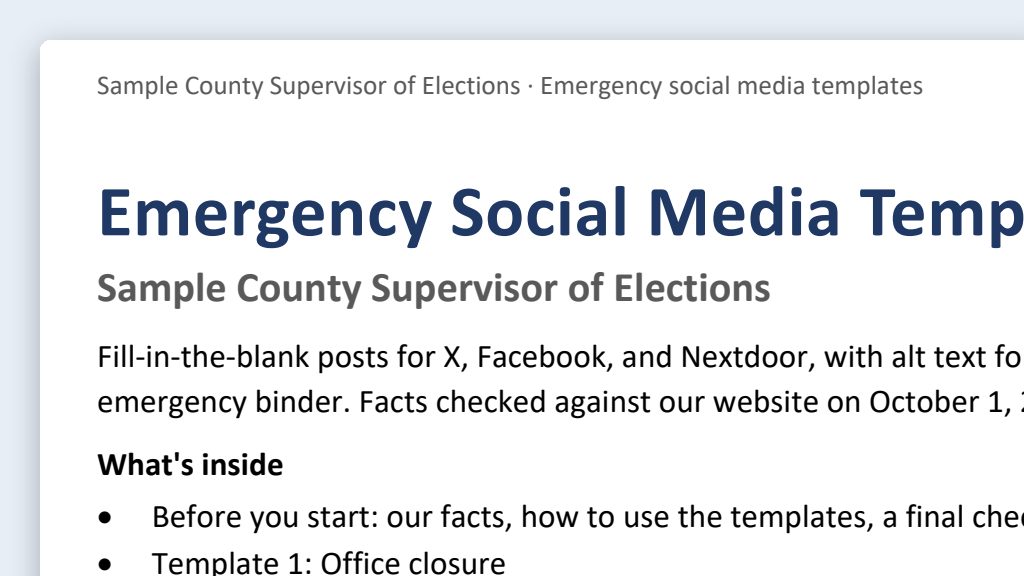 One possible outcome
Say it or type it
Build the template set before hurricane season
Green data classification· Public dataCommunicationsSocial MediaAdministrationFrom Emergency and schedule-change templatesGo to the [Your county] County Supervisor of Elections website and look at how we write our announcements. Find our official updates page and our phone number too; if we don't have a page called "updates," tell me which one you used. Then write fill-in-the-blank social media templates for the emergencies we plan for: an office closure, the office reopening, a polling place move, an early voting site closing or changing hours, and a deadline changed by an official order. For each one, write a short version that fits on X, a longer version for Facebook and Nextdoor, and alt text for a plain text graphic. Leave every fact as a blank in square brackets, and have each template say who made the decision and point people to our updates page. Keep the tone calm and plain. Save everything in one Word document in this folder, so we can print it for the emergency binder.
Fill in anything in
[brackets]with your own details.Have your supervisor approve the wording before the season starts.
- An example from this use caseSee the example: Emergency and schedule-change templates
Say it or type it
Fill in a template from the official order
Green data classification· Public dataCommunicationsSocial MediaAdministrationFrom Emergency and schedule-change templatesGo to the Governor's website or the Division of Elections' emergency page, find Executive Order [Number], and save it in this folder. Fill in our approved closure and polling place templates with what the order supports, and put a link to the order at the bottom of each. Then list every blank the order can't fill, and tell me what decision we still need from the Supervisor.
Fill in anything in
[brackets]with your own details.An executive order usually gives your office authority to act; it doesn’t close your office or move a polling place by itself. The facts usually come from the Supervisor’s signed public announcement. When you have it, save it in the folder and say “use the announcement in this folder” instead.
- An example from this use caseSee the example: Emergency and schedule-change templates
Say it or type it
Post an update
Green data classification· Public dataCommunicationsSocial MediaAdministrationFrom Emergency and schedule-change templatesOur earlier post and the Supervisor's updated announcement are in this folder. Write a short update post that starts with "UPDATE:" and says exactly what changed since our earlier post.
- See what this prompt made: Explain this to a voter
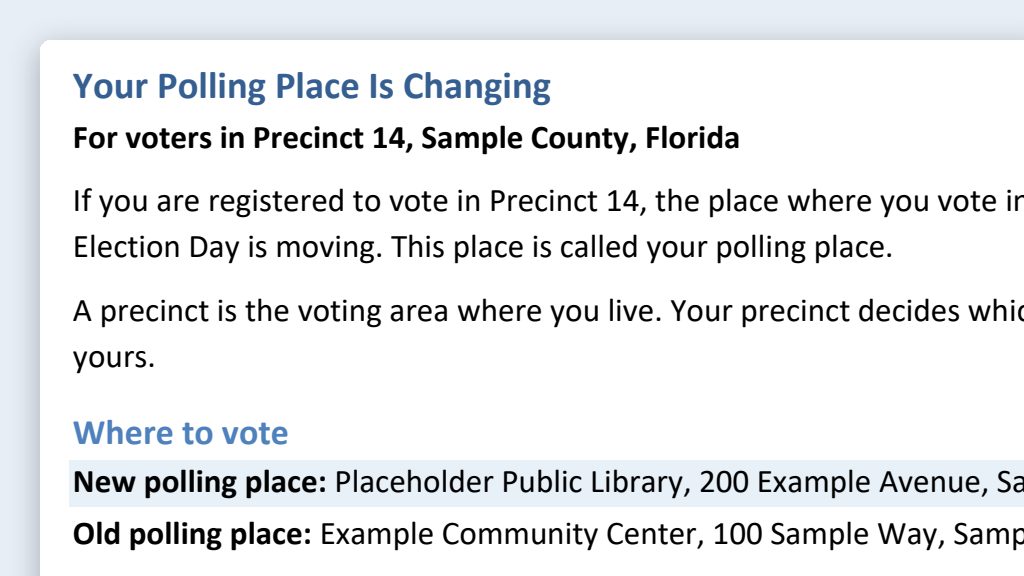 One possible outcome
Say it or type it
Explain this to a voter
Green data classification· Public dataCommunicationsAdministrationRewrite this notice so a voter with no election background can follow it. Keep every date, deadline, and legal requirement exactly as it is. Give me the new version as a Word document.
Put the notice in your project folder first, in the Code tab or Codex. If the folder holds more than one file, name the notice. Works for notices, web pages, and letters.
- See what this prompt made: Find the official sources
 One possible outcome
Say it or type it
Find the official sources
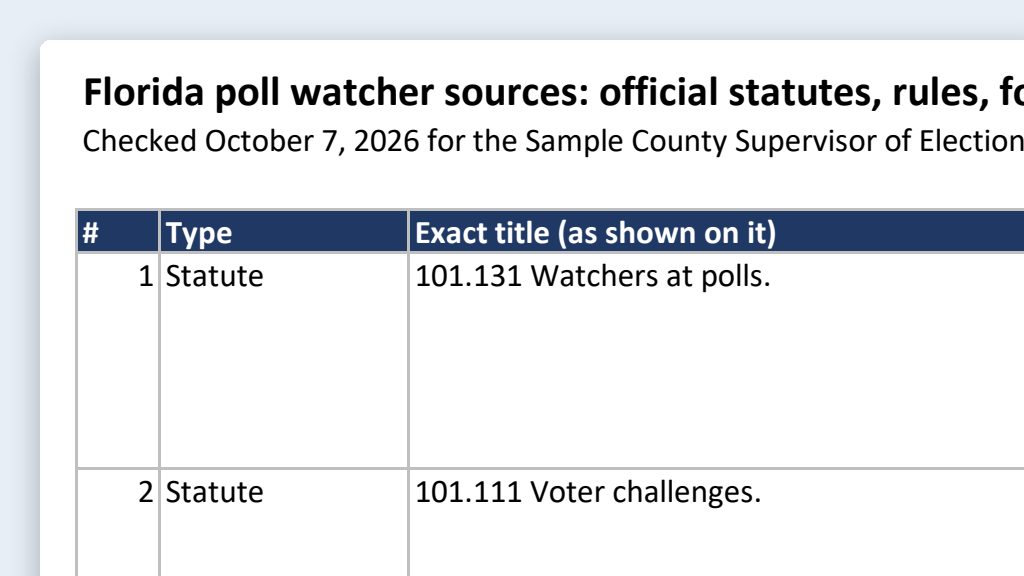
Green data classification· Public dataResearch & DataAdministrationFind the official Florida publications, forms, rules, and guides about [Topic]. Look on the Division of Elections website, Online Sunshine for statutes, and flrules.org for rules. Save a list in this folder with each one's exact title, a direct link, and the date or edition shown on it. Tell me about any link you couldn't open. Tell me if any text takes effect after today, and give the date.
Fill in anything in
[brackets]with your own details.Run it in a project folder so the list stays with your work. Open every link yourself and check the date or edition.