The problem
Every poll worker needs a name badge, Election Day and early voting, and the roster keeps changing until the last week. Typing hundreds of names into a label template takes hours. And the poll worker report your system prints carries far more than a badge needs.
The prompts
Start in a folder
…\AI Projects\Poll Worker Badges\
Make the folder
On your C: drive, OneDrive, or an external drive. Your choice.
Open it in the app
Claude: Code tab → under the message box, choose Local → Open folder… ChatGPT: open Codex, click Add new project (or press Ctrl+O), then pick the folder. To add more folders later, open the project menu, choose Edit project, then Add folder.
Say what you want
Use the prompt below. Then open what it saved in the folder.
Say them out loud or type them. Change the words to fit your office. The AI goes and gets the public documents itself and saves what it makes in the folder.
Prompt 1 · Say it or type it
Make the badges
I put two lists of our poll workers in this folder, one for early voting and one for Election Day, with their names, titles, and locations. Make name badges for all of them on Avery [Product number]. Look up that product on Avery's website so the PDF lines up with the sheet.

Each badge gets their first initial and last name, their title, and their location. Give them a colorful red, white, and blue background so they aren't plain white. Sort them by location and save the PDF in this folder.
Fill in anything in [brackets] with your own details.
The Avery product number is on the box. We used 5392. Rather use your office’s colors? Name them instead.
Prompt 2 · Say it or type it
Late additions
We added a few people. They're in new_workers.xlsx in this folder. Make a PDF with just their badges.
What I did
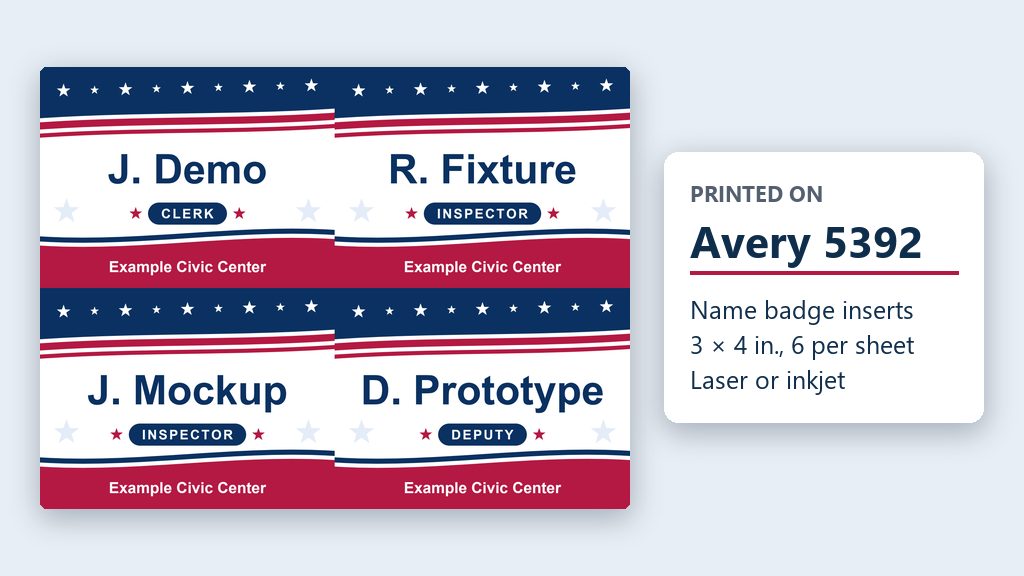
I made name badges for all of our poll workers, Election Day and early voting, with Claude. I told it we use Avery 5392 name badge inserts, and it made a PDF that lined up with the sheets. Ours have a red, white, and blue background. Plain white badges look unfinished, so the prompt asks for color.
What you need
- The Claude desktop app (Code tab) or the ChatGPT desktop app (Codex) and a folder called something like
Poll Worker Badges. - Your two cleaned files (Excel or CSV) in the folder: names, titles, and locations only.
- Avery badge sheets and the product number from the box. Avery 5392 is white card stock, 3 x 4 inches, 6 per sheet, with fine perforations so the badges tear apart cleanly, for laser or inkjet printers. It fits Avery’s badge holders. Avery 5395 stick-on badges are 2-1/3 x 3-3/8 inches, 8 per sheet. (Checked on avery.com, Oct. 1, 2026.)
Step by step
- Export, delete the personal columns, and put only the cleaned lists into the folder (the box above).
- Open the folder in the app. Folder projects shows how.
- Say the prompt with your Avery number. The AI looks up the sheet layout on Avery’s website if it needs to.
- Open the PDF and page through it.
- Load the Avery sheets in your printer. Print one test page on plain paper first, check it against a badge sheet, then print the rest.
- Tear the badges apart along the perforations and put them in your badge holders.
One possible outcome
One run of the prompt, with two made-up lists of 48 poll workers, on Avery 5392 badge inserts.
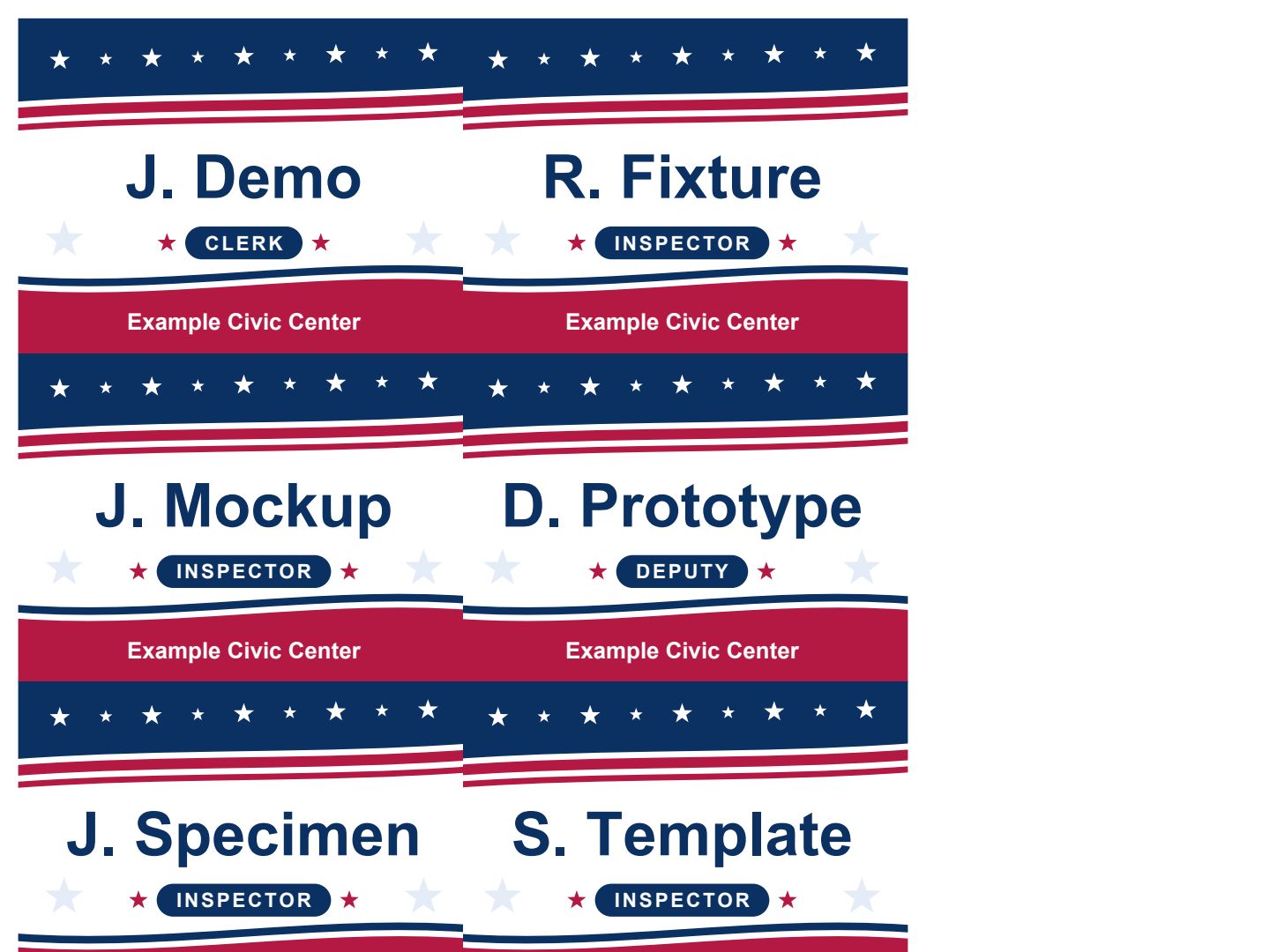 (opens the full version, PDF, 8 pages, 21 KB)
File names end in -DRAFT because AI output is a draft until a person checks it.
Time: by hand vs. with AI
By hand
Half a day or more
With AI
About 30 minutes
your time, including review
Estimate. By hand means typing every name into a label template. With AI includes exporting and trimming the lists, a test print on plain paper, and a quick look through the PDF.
Checking the work: what an expert looks for
You know this work, so you’re the best person to check it. Open every file it made and read every page. If part of it is outside what you know, hand that part to someone who knows it. These are the spots that most often need a fix:
- Before a file goes in the folder, open it and read the column headings. First name, last name, title, and location only. If you see a birth date, ID number, address, phone, or email, delete that column first.
- Skim the titles and locations in the PDF first. A typo in one title shows up on every badge with that title.
- Print one page on plain paper at 100% (Actual size), not ‘Fit to page,’ and hold it behind a badge sheet. If it lines up, print the rest.
- Look at names with apostrophes and hyphens (O’Example, Sample-Example). Those are the ones that come out wrong.
Last reviewed October 2, 2026.