That’s how AI works now. The Claude or ChatGPT desktop app goes and gets the public documents, builds the files, and saves them in your folder. This site is free, and it’s written by a fellow Florida election office staffer.
A personal project, not an official publication of any office.
Desktop app · Code
E:\AI Projects\Poll Worker Decks
Download the latest Polling Place Procedures Manual and make two PowerPoints: a quick overview for people on the fence, and a detailed one for new recruits. Use our website’s colors and logo. Last slide: references.
✓ Saved to this folder
PDFPolling Place Procedures Manual.pdf
PPTPoll Worker Overview.pptx
PPTPoll Worker Deep Dive.pptx
An illustration of a folder project: one spoken request, three files in the folder.
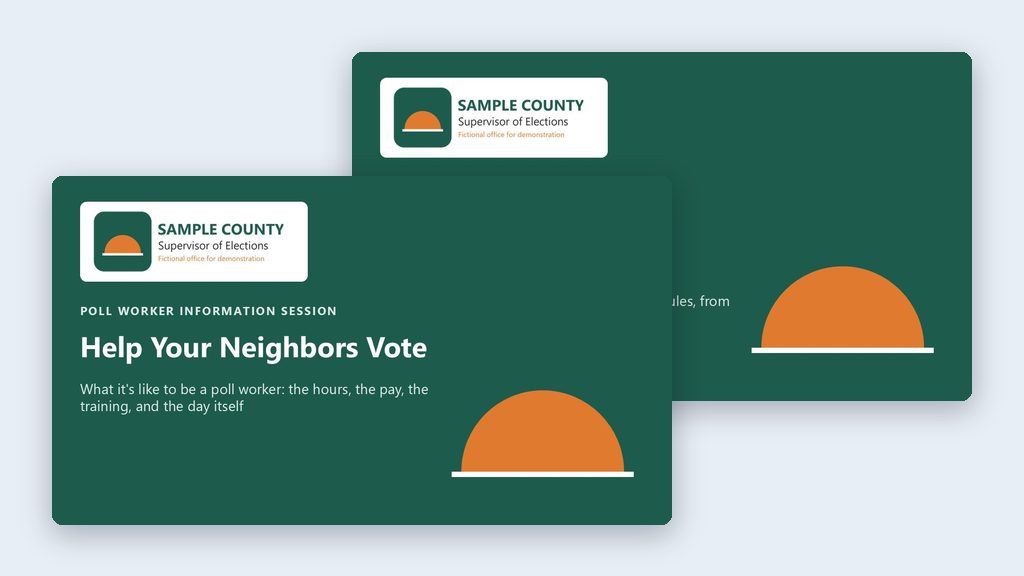
Have the AI download the state’s poll worker manual and build two branded PowerPoint decks: a short one for people on the fence, a full one for recruits.
By hand
4–6 hours
With AI
30 minutes
AI’s part: about 20 minutes, measured in a test run. Your time includes review.
One possible outcome
Yellow data classification· Think firstFlagship example
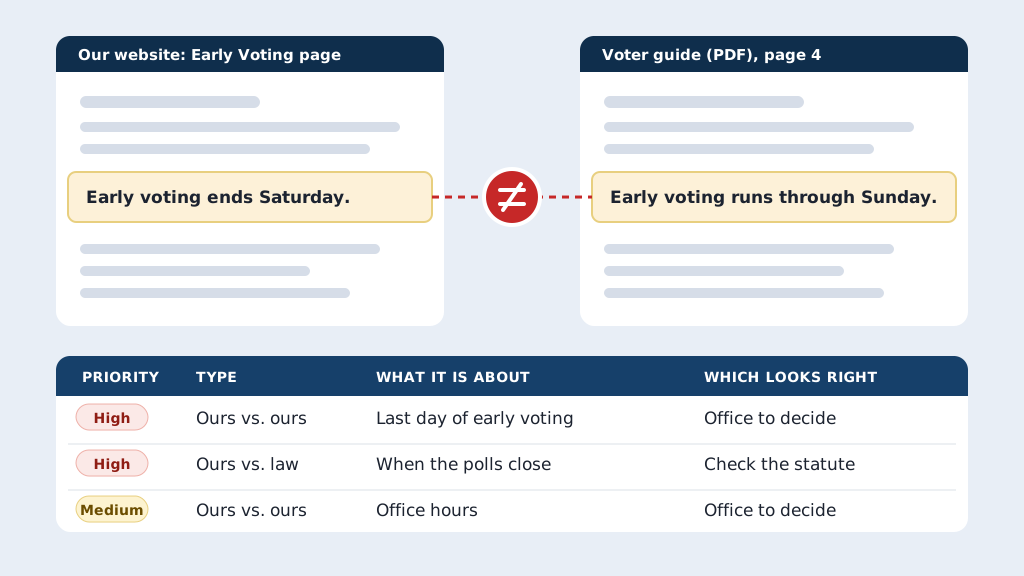
Have the AI read your website, voter guide, notices, and posts, compare them with each other and Florida law, and save a workbook of every conflict.
By hand
1–2 weeks to compare it all
With AI
1–2 days
Your time includes review.
The big idea, before anything else
You’re the expert. That’s the check.
If you could do the job yourself, the old way, you’re the best person to judge what the AI made.
Today’s AI can find documents, build a 20-slide deck, and fill a folder with files in minutes. It can also get something wrong and sound completely sure about it. (That’s called a hallucination.) A longer prompt won’t fix that, and neither will asking the AI to check itself. You will.
✓Read every page. It made 20 slides? Read all 20, the way you’d read a new coworker’s first draft.
✓Trust your experience. You’ve done this work by hand, so wrong training hours, a step out of order, or a made-up deadline jump out at you.
✓Outside what you know? Hand it to someone who knows. Your qualifying officer, your attorney.
✓Start with jobs you could do yourself. That’s what makes you the right person to check them.
How it works
Four steps. No uploading, no downloading.
1Install the desktop app
Claude (the Code tab) or ChatGPT (Codex), on Windows or Mac, signed in to a paid work account with training turned off. Never a free account or your personal one.
2Make a folder
One folder per project, on your C: drive, OneDrive, or an external drive. Point the app at it.
3Say what you want
What to do, what to use, and what you want back. Speak it or type it. The files land in your folder.
No rules lists, no special wording. Every good request has three parts:
What to do
Two PowerPoint decks: one for people on the fence, one for new recruits.
What to use
The state’s manual (it goes and gets it) and your office’s website for colors and logo.
What you want back
Two files in this folder, with a references slide at the end.
Context is king. Already have a deck you’ve customized for years? Put it in the folder too. The AI keeps your county’s slides and updates the rest. Start from what you have →
I speak most of mine with a dictation app (Wispr Flow). Typing works too. Speak or type →
What this prompt made in one run, for a made-up Sample County. See both decks →
Say it or type it
Two poll worker decks from one prompt
Go to the Florida Division of Elections website and download the latest Polling Place Procedures Manual. Use it to make two PowerPoint presentations and save them in this folder.

1. A high-level overview for people who are on the fence about becoming a poll worker. Cover the basics they'll worry about: how many hours, pay, training, and what the day is like.
2. A more detailed deck for people who have signed up. Go deeper, so it answers the questions they'll have before their first election.

Go to the [Your county] County Supervisor of Elections website and use its colors for the branding. If there's a logo on the site, put it on the title slide. Make the last slide of each deck a list of references with links.
Small offices get the most out of AI and have the least time to learn it. The quick start is five projects you can finish this week, each in its own folder, all from public documents.
Green: public documents and published numbers. Go ahead.
Yellow: internal files. Clean them up and use your office’s approved plan.
Red: voter records and anything confidential. Never in the folder.
Starting from a system export? That could be a report from your voter registration system, or a poll worker list in CSV or Excel. First delete every column that holds personal information. Then put only the cleaned file in the project folder. Doing that first is what makes it safe. The full export stays out.
The tools changed. The way we teach them should too.
I’ve worked in a Florida Supervisor of Elections office for 21 years, most of them as the systems administrator. I use AI every day, and almost never in a web browser anymore. I open the desktop app, point it at a project folder, and tell it what I need.
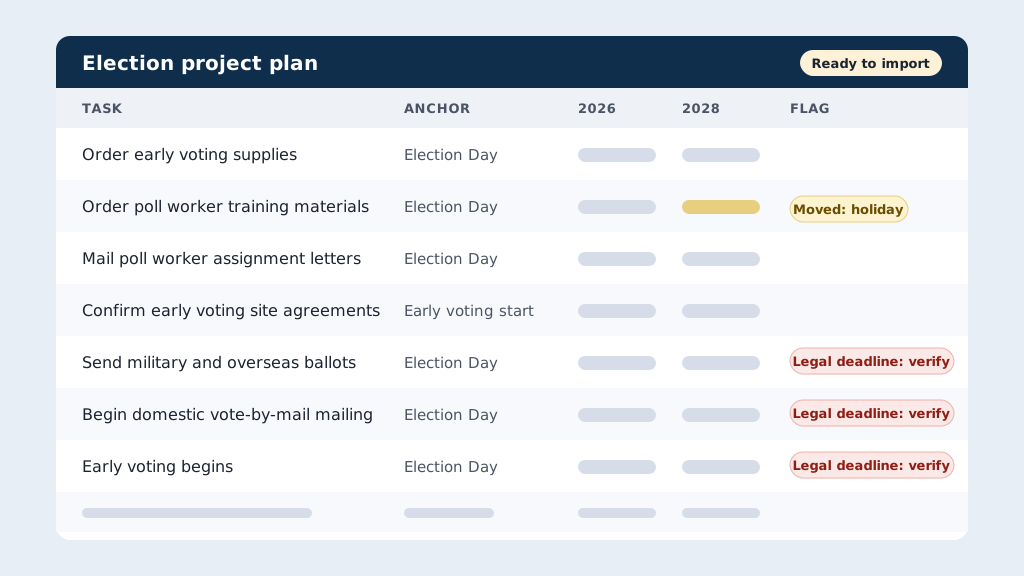
That’s how I built poll worker training decks from the state manual and rolled last election’s project plan forward with the right due dates. The AI did the downloading, the building, and the saving.
When I get a new person on the phone, I skip the old advice about perfect prompts. Install the app. Make a folder. Say what you want, what to use, and what you expect back. Then read every page, because you know the work better than the AI does. This site is that phone call, written down. It’s free and personal, and it isn’t an official product of any office.
John Systems administrator at a Florida county Supervisor of Elections office
 One possible outcome