The problem
Many offices recently moved their websites to new hosting platforms and content management systems. (A content management system, or CMS, is the software you use to edit your site.) Every CMS works a little differently. Most have a WYSIWYG editor (‘what you see is what you get’), the part that looks like a word processor. Paste from Word into it and you may get odd fonts, extra blank lines, and tables that fall apart on a phone. But nearly every editor also has a way to switch to the page’s HTML, the plain code that tells a browser what’s a heading, a list, a table, or a link. If you paste clean, simple HTML there, your site’s own design handles the look, and the page works for voters who use screen readers.
The prompts
Start in a folder
…\AI Projects\Website Pages\
Make the folder
On your C: drive, OneDrive, or an external drive. Your choice.
Open it in the app
Claude: Code tab → under the message box, choose Local → Open folder… ChatGPT: open Codex, click Add new project (or press Ctrl+O), then pick the folder. To add more folders later, open the project menu, choose Edit project, then Add folder.
Say what you want
Use the prompt below. Then open what it saved in the folder.
Say them out loud or type them. Change the words to fit your office. The AI goes and gets the public documents itself and saves what it makes in the folder.
Prompt 1 · Say it or type it
Rebuild a page as clean HTML
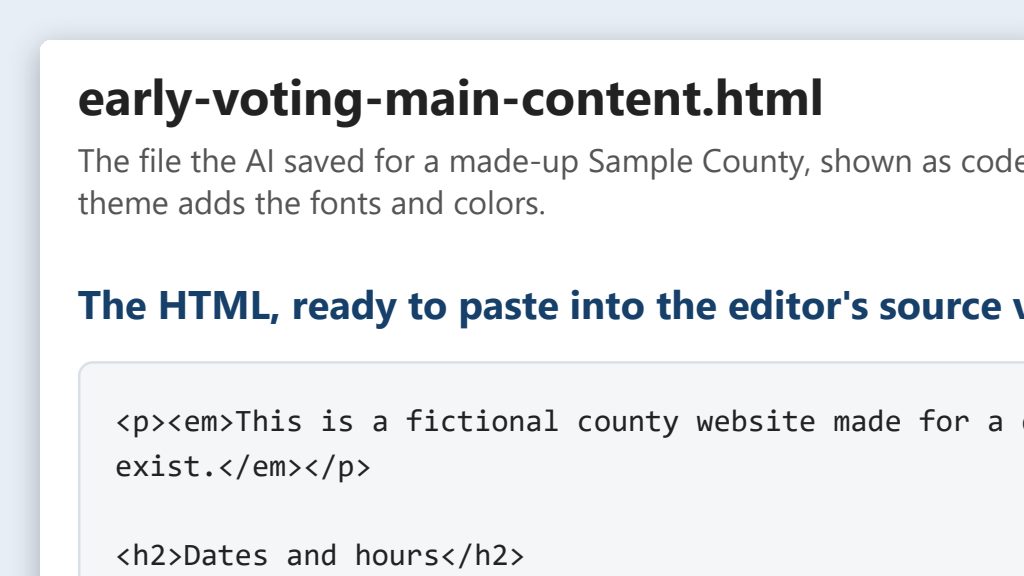
Go to [Page address] on our website and rebuild just the main content of that page, not the menu or footer, as clean HTML I can paste into our website editor's source view. Our site's theme handles fonts and colors, so leave out all styling.

Make it accessible: headings in order starting at h2, real lists, data tables with a caption and header cells, link text that says where each link goes, and alt text on every image. Keep every date, time, address, and phone number exactly as it is. Save it as an HTML file in this folder, and tell me what you changed.
Fill in anything in [brackets] with your own details.
Prompt 2 · Say it or type it
Build a new page from a document
Our approved early voting schedule is in this folder. Build the early voting page from it the same way, with just what voters need: sites, days, and hours. If the schedule and our current early voting page disagree on anything, tell me before you build it. Save it as a new HTML file.
Prompt 3 · Say it or type it
Check our brand colors for contrast
Get our text and background colors from the website's code, including hover colors and any text in our banner images, and check each pair against WCAG 2.1 Level AA for normal and large text. For any pair that fails, suggest the closest shade that passes.
AI can get contrast math wrong. Confirm every pair in the free WebAIM Contrast Checker before you use it. Colors set by the site’s template, like hover colors, are usually your web vendor’s to change.
What you need
- The Claude desktop app (Code tab) or the ChatGPT desktop app (Codex) and a folder called something like
Website Pages. Put it wherever you like: the C: drive, OneDrive, or an external drive. - The page’s web address, or the approved source (such as your office’s early voting schedule) saved in the folder. For a brand-new page, a few sentences saying what it needs is enough.
- Access to your editor’s HTML view. Platforms name it differently: “Source,” “HTML,” “Code view,” or an icon that looks like
<>. If you can’t find it, ask your IT staff or web vendor where it is and whether your account can use it. - A second person to check dates, times, and addresses before you publish.
Step by step
This works the same way on any platform.
- Make the folder and open it in the app. In the Claude desktop app, open the Code tab, and in the row under the message box choose Local, then Open folder…. In the ChatGPT desktop app, open Codex, click Add new project (or press Ctrl+O), and pick the folder. Folder projects walks through it.
- Say the prompt with the page’s address, or point it at the document in the folder. Speak it or type it. If the AI says it can’t open the page, open it in your browser, press Ctrl+S to save it into the folder, and tell the AI to use the saved copy.
- Open the HTML file it saved. Right-click it, choose Open with, and pick Notepad, so you see the code. Read the list of changes the AI gave you, then read the page’s text against the source. You know this information, so a wrong date or address will stand out. Fill in any blanks from the source, not from memory.
- Paste into the HTML view. In your editor, switch to the HTML or source view. First copy what’s already there into a text file in the folder, so you can undo. Then replace it with the new HTML.
- Preview. Look at the page on a computer and a phone. Check that the headings make sense, the table fits, and every link goes where it says.
- Publish. After the second person signs off, publish. Then reopen the HTML view to see whether the editor changed anything when it saved.
The clean HTML rules, and why they matter
| Rule | What it means | Why it matters |
|---|---|---|
| Headings in order | The page title is the <h1> (your editor usually sets it). Sections are <h2>, and parts of a section are <h3>. Don’t skip levels, and don’t use bold text as a heading. | Screen reader users jump from heading to heading to find what they need. Search engines read headings too. |
| Real tables with header rows | Use a table only for information with rows and columns. Give it header cells (<th>) and a caption. Never use a table to arrange things on the page. | A screen reader can say “Main Office, Hours” before reading each cell. Layout tables read as nonsense and break on phones. |
| Link text that says where it goes | “Request a vote-by-mail ballot,” not “click here” or a long web address. | Screen readers can list all the links on a page by themselves. Ten links that say “click here” tell the listener nothing. |
| Alt text on every image | Alt text (alternative text) is a short description that screen readers read aloud. Say what the image shows and why it’s there. Use alt="" for purely decorative images. If an image has words in it, like a flyer, put those words on the page as text too. | Voters who can’t see the image get the same information as everyone else. |
| No inline styling | No style= attributes, <font> tags, fixed widths, or used for spacing. | Your site’s theme already sets fonts, colors, and spacing. Inline styles fight the theme, break on phones, and get left behind in the next redesign. |
| Brand colors that pass contrast | Text and background colors need a contrast ratio of at least 4.5:1 for normal text and 3:1 for large text, under WCAG 2.1 Level AA. | Low-contrast text is hard to read for people with low vision, and for anyone reading a phone outdoors. |
WCAG stands for the Web Content Accessibility Guidelines. Level AA is the level the federal accessibility rule for state and local government websites uses. That rule is the ADA Title II web rule (28 CFR 35.200). Its dates were extended in April 2026 (91 FR 20902). See Website Management for the current deadlines.
One possible outcome
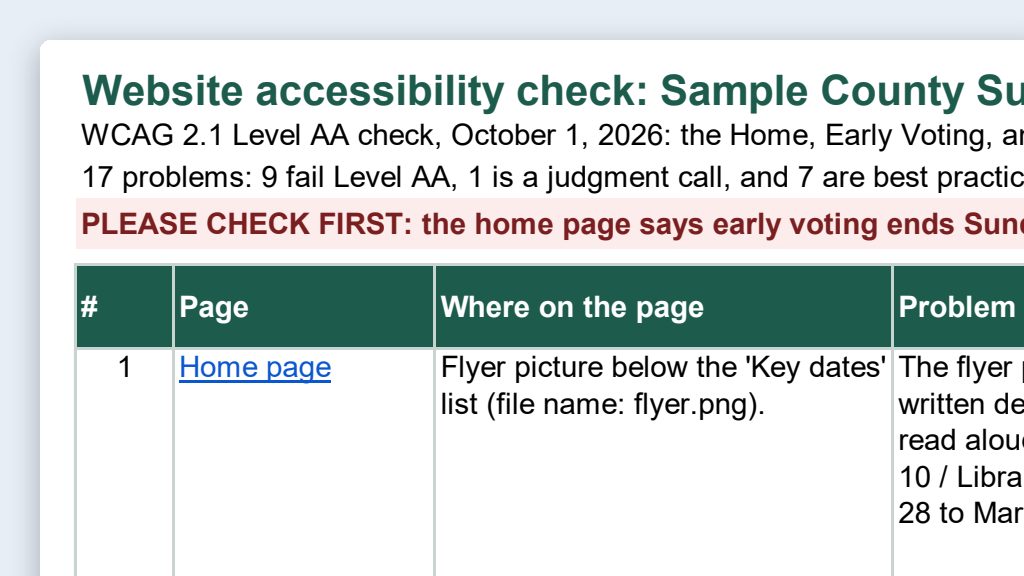
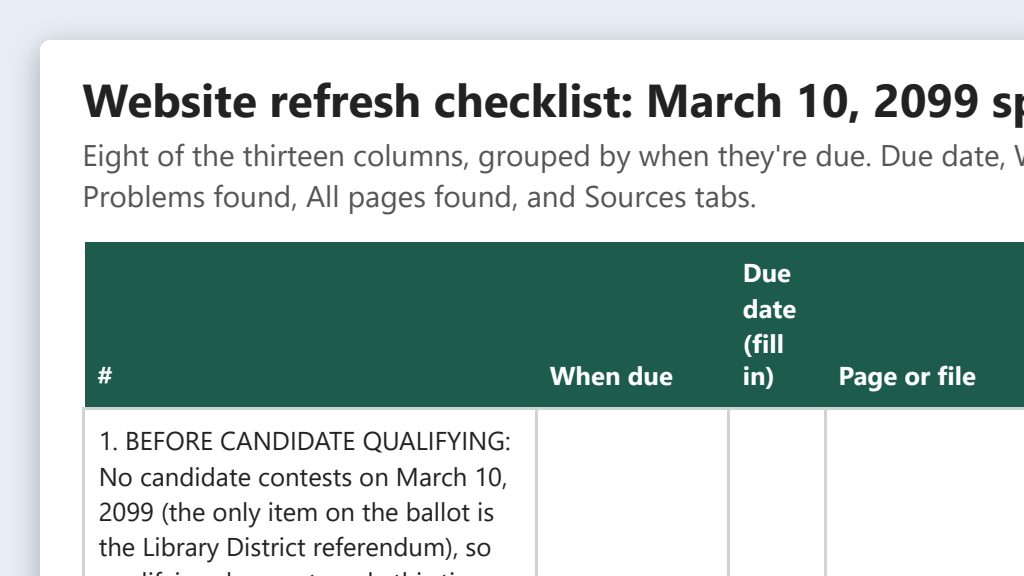
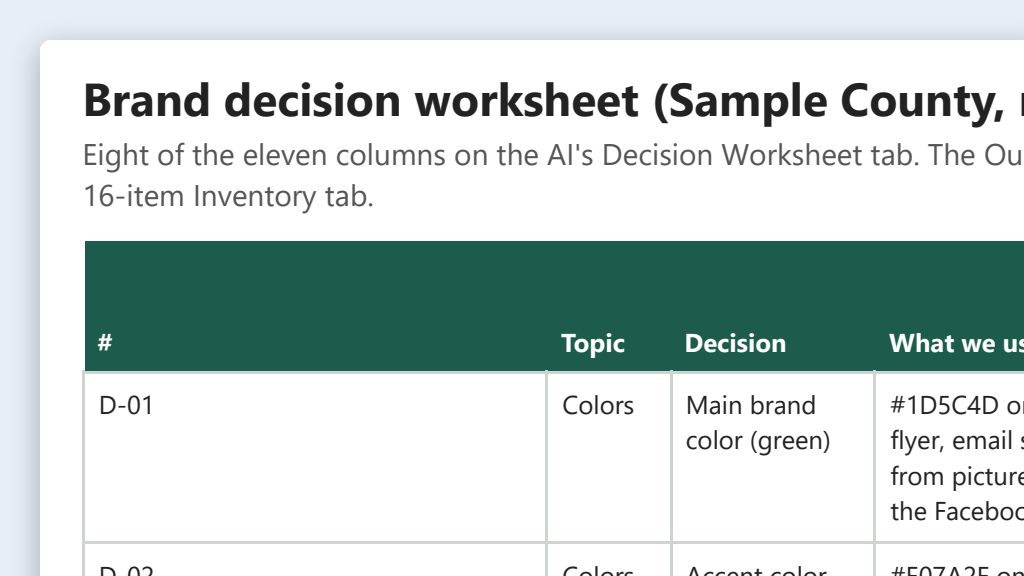
One run of the first prompt, on the early voting page of a stand-in website for a made-up Sample County.
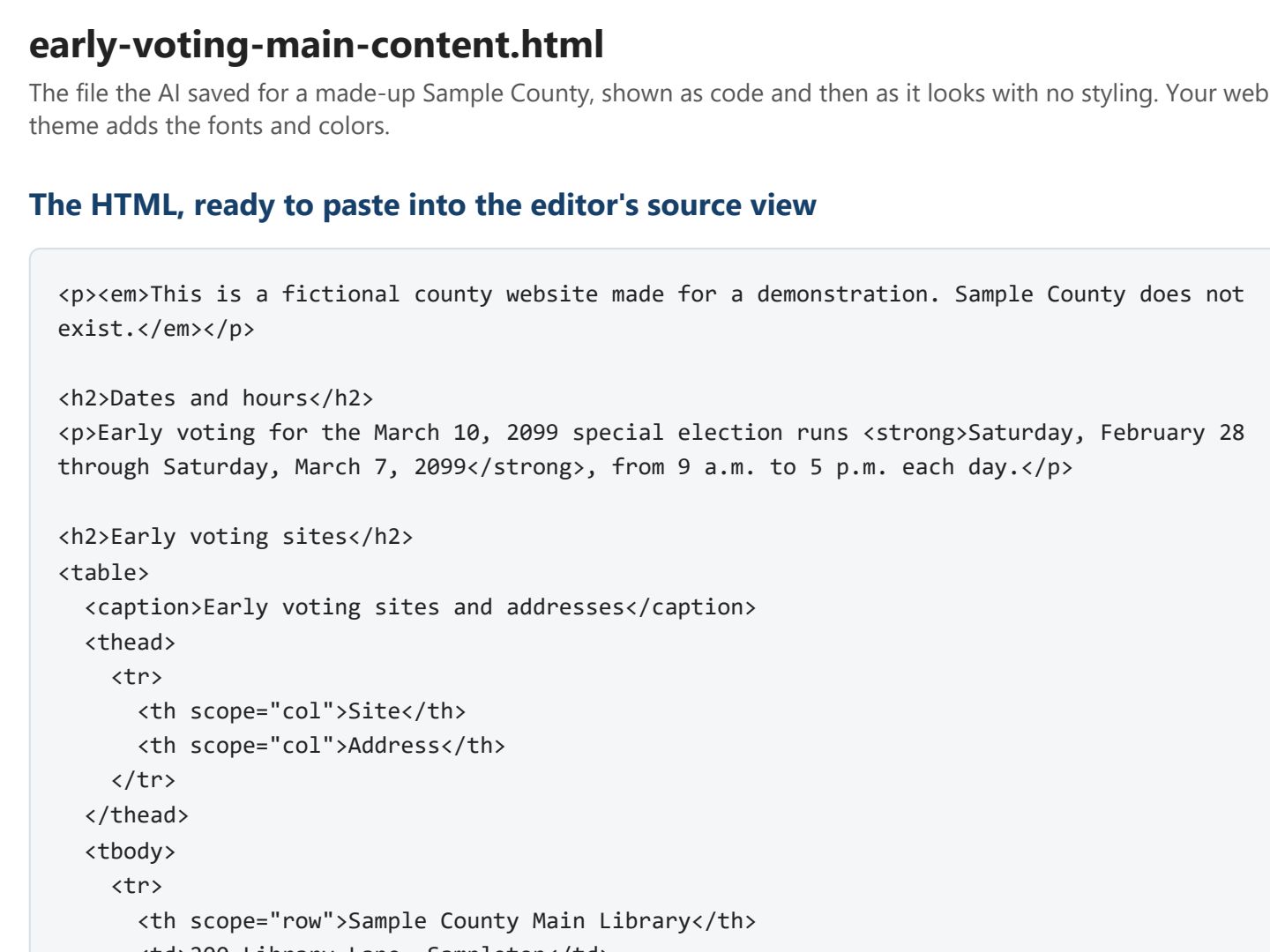 (opens the full version, PDF, 2 pages, 105 KB)
Word, Excel, and PowerPoint files download to your phone; the PDF opens first. File names end in -DRAFT because AI output is a draft until a person checks it. Web addresses shown in these samples are made-up and will not open.
Make it yours
- Pasted from a chatbot before? Text copied out of an AI chat window can carry hidden code into your page, like citation buttons and extra tags. Rebuilding the page with the first prompt clears it out, and the “what you changed” list shows you what came out.
- Save your editor’s quirks once. In Claude, say “Add a note to CLAUDE.md in this folder: our editor removes table captions.” Claude reads that file at the start of every session. In ChatGPT, keep the same notes in a text file in the folder and say “Read the notes file first.”
- Keep a page pattern. Once a page works well, keep its HTML file in the folder. Next election, say “Update the early voting page for the new schedule in this folder,” and only the facts change.
- Turning a PDF into a web page? See Accessibility checks.
- Updating a dozen pages every election? See Election-cycle website refresh.
Time: by hand vs. with AI
By hand
45 minutes per page
AI’s part, measured
About 35 minutes
in a test run of these prompts
With AI
15 minutes per page
your time, including review
About the measured time: “AI’s part” is how long the AI took, start to finish, in a test run of these prompts on September 27, 2026. It works on its own while you do something else. “By hand” and “With AI” are estimates of your own time.
Honest estimate for a typical page, like early voting sites and hours. The AI’s part takes about half an hour, including its own checks. The rest is pasting, previewing on a computer and a phone, and having a second person check every date and address against the source. The time you save is the time you used to spend fighting leftover formatting from Word.
Checking the work: what an expert looks for
You know this work, so you’re the best person to check it. Open every file it made and read every page. If part of it is outside what you know, hand that part to someone who knows it. These are the spots that most often need a fix:
- Check every date, time, address, and phone number against the source document, not against the AI’s version. Copy errors still happen.
- Paste into the HTML or source view, not the visual view. Pasting code into the visual view puts the tags on the page as text.
- Some editors remove tags or add their own when you save (table captions are a common casualty). Reopen the source view after saving to see what actually went live, and ask your IT staff or web vendor what’s allowed.
- Preview on a phone as well as a computer, and run an automated checker, such as WAVE, on the published page. Tables are the part most likely to break on a small screen. Keep tables to two or three columns when you can, for example by putting the map link in the address column.
- If your office keeps web pages or drafts as records, the final page and the files in this folder follow your retention schedule (the state’s list of how long to keep each kind of record). Ask your records management liaison officer (RMLO).
Last reviewed October 2, 2026.