The problem
Every election, the same pages need new dates, sites, hours, and links: early voting, sample ballots, candidate lists, results, vote-by-mail, poll worker recruitment. The work is spread over months, and nobody has the whole list in their head. Miss one page and last cycle’s date sits on your site for voters to find. If your site just moved to a new platform, pages may also live in new places, so last cycle’s list may not match anymore.
The prompts
Start in a folder
…\AI Projects\Website Refresh\
Make the folder
On your C: drive, OneDrive, or an external drive. Your choice.
Open it in the app
Claude: Code tab → under the message box, choose Local → Open folder… ChatGPT: open Codex, click Add new project (or press Ctrl+O), then pick the folder. To add more folders later, open the project menu, choose Edit project, then Add folder.
Say what you want
Use the prompt below. Then open what it saved in the folder.
Say them out loud or type them. Change the words to fit your office. The AI goes and gets the public documents itself and saves what it makes in the folder.
Prompt 1 · Say it or type it
Build the refresh checklist
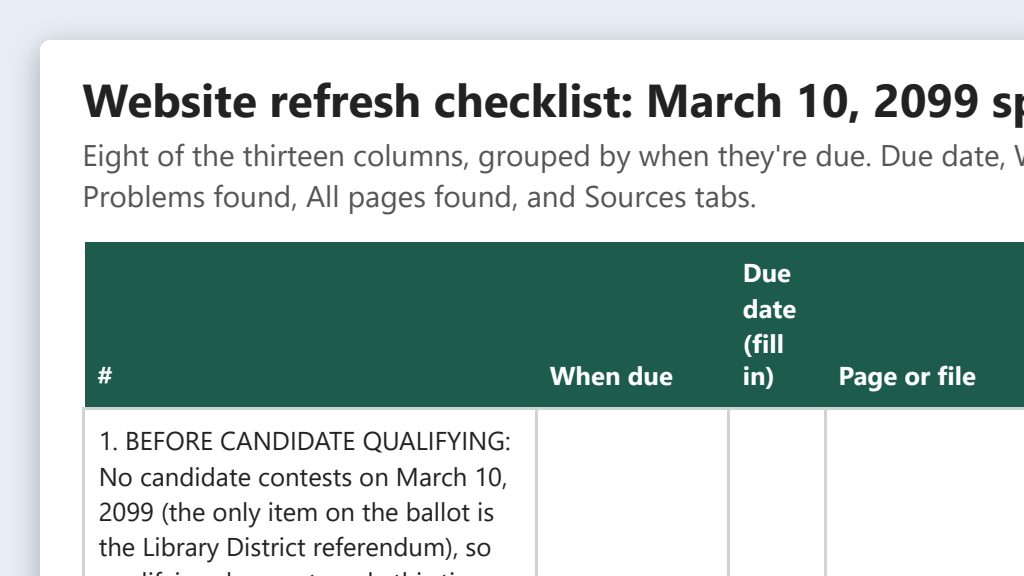
Go to our website, [Your website], and use its sitemap or main menu to find every page. Build a checklist of the pages that may need updating for the [Election name]: what changes on each page every election, the official source to check it against, and columns for who verifies it and when it's done. Include any linked PDFs that will need a new version, like sample ballots or handbooks.

Group the pages by when they're due: before candidate qualifying, before vote-by-mail ballots go out, before early voting, election day and night, and after certification. Add an ongoing group for things that change every month, like registration reports and petition totals. Leave the dates blank. I'll fill them in from our election calendar. Save it as an Excel file in this folder.
Fill in anything in [brackets] with your own details.
Prompt 2 · Say it or type it
Draft one page's update
The approved early voting schedule is in this folder. Update the text of our early voting page from it, save the new version here, and give me a list of every old and new line with where it came from in the schedule. If the schedule and the live page disagree on anything, like a date or an address, tell me before you update it.
Want HTML instead of plain text? Ask for it the way the clean HTML use case does.
Prompt 3 · Say it or type it
Sweep for stale dates
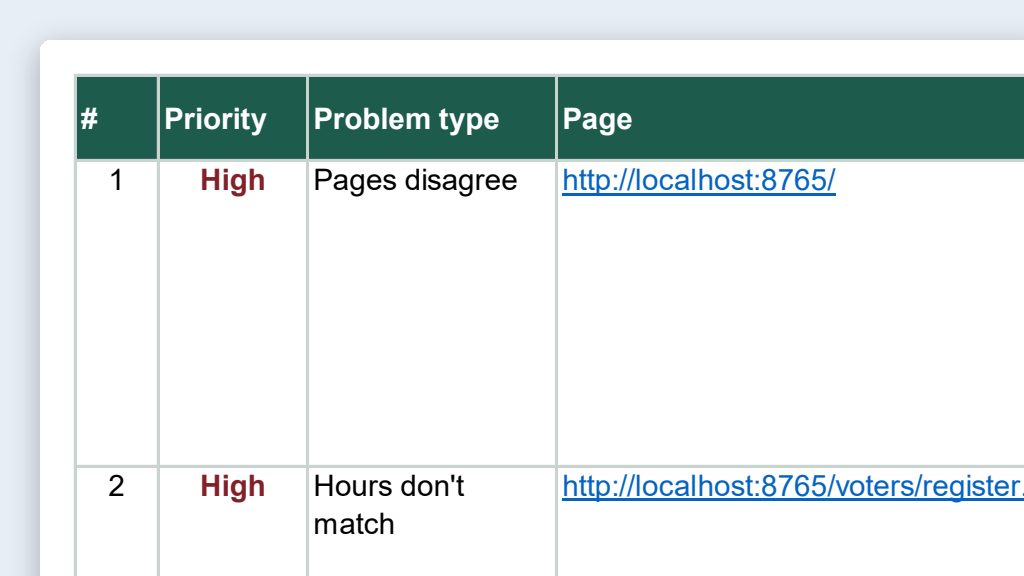
Check the live pages on the checklist for dates, times, years, and election names. Skip archive pages like past results and minutes, and don't open pages that list individual voters, like potential-ineligibility notices. List anything that doesn't fit this election or today's date, and any weekday that doesn't match its date. Don't fix anything yet.
AI is good at spotting a weekday that doesn’t match a date, but it can be wrong. Check a calendar before you change anything.
What you need
- The Claude desktop app (Code tab) or the ChatGPT desktop app (Codex) and a folder called something like
Website Refresh. Put it wherever you like: the C: drive, OneDrive, or an external drive. Keep it from one election to the next. - Your website’s address. The AI finds the pages itself from your sitemap (a list of every page’s web address that many platforms create automatically) or your main menu.
- The official sources for this election, saved in the folder as each becomes final: your election calendar, the approved early voting schedule, the qualifying list, the polling place list, and the poll worker training calendar.
- Last cycle’s checklist, if you have one. Put it in the folder and the AI will build on it.
- A way for your team to see the checklist. Keep the folder on OneDrive or a shared drive, or copy the checklist into your office’s project tool.
Step by step
- Make the folder and open it in the app. In the Claude desktop app, open the Code tab, and in the row under the message box choose Local, then Open folder…. In the ChatGPT desktop app, open Codex, click Add new project (or press Ctrl+O), and pick the folder. Folder projects walks through it.
- Build the checklist once, early in the election year, so the first phases aren’t already past. Say the first prompt. Speak it or type it. Open the Excel file and check that every page voters use is on it. If the AI says it can’t open your site, open your sitemap or home page in your browser, press Ctrl+S to save it into the folder, and tell the AI to use the saved copy.
- Add the dates yourself. Fill in each due date from your election calendar. The election calendar builder can help you build one from official sources.
- Update one page at a time. When a source becomes final, save it in the folder and ask for that page’s update (the second prompt).
- Read the new page and the change list. You know your sites, hours, and deadlines, so a wrong one will stand out. A second person compares every line of the change list to the source. Fix anything that doesn’t match.
- Build the page. Paste the new content into your editor. For clean, accessible HTML, see Clean HTML for your website editor. Preview on a computer and a phone.
- Sweep the live site for stale dates. After a batch of pages goes live, use the third prompt. Check each thing it lists on a calendar before you fix it.
- Publish on schedule and check the box. Note the date and who published it.
- Close out after certification. Update results and archive pages. Every time someone fixed a page after it went live, add that page to the checklist so next cycle catches it.
One possible outcome
One run of the first prompt, on a stand-in website for a made-up Sample County and its March 10, 2099 special election.
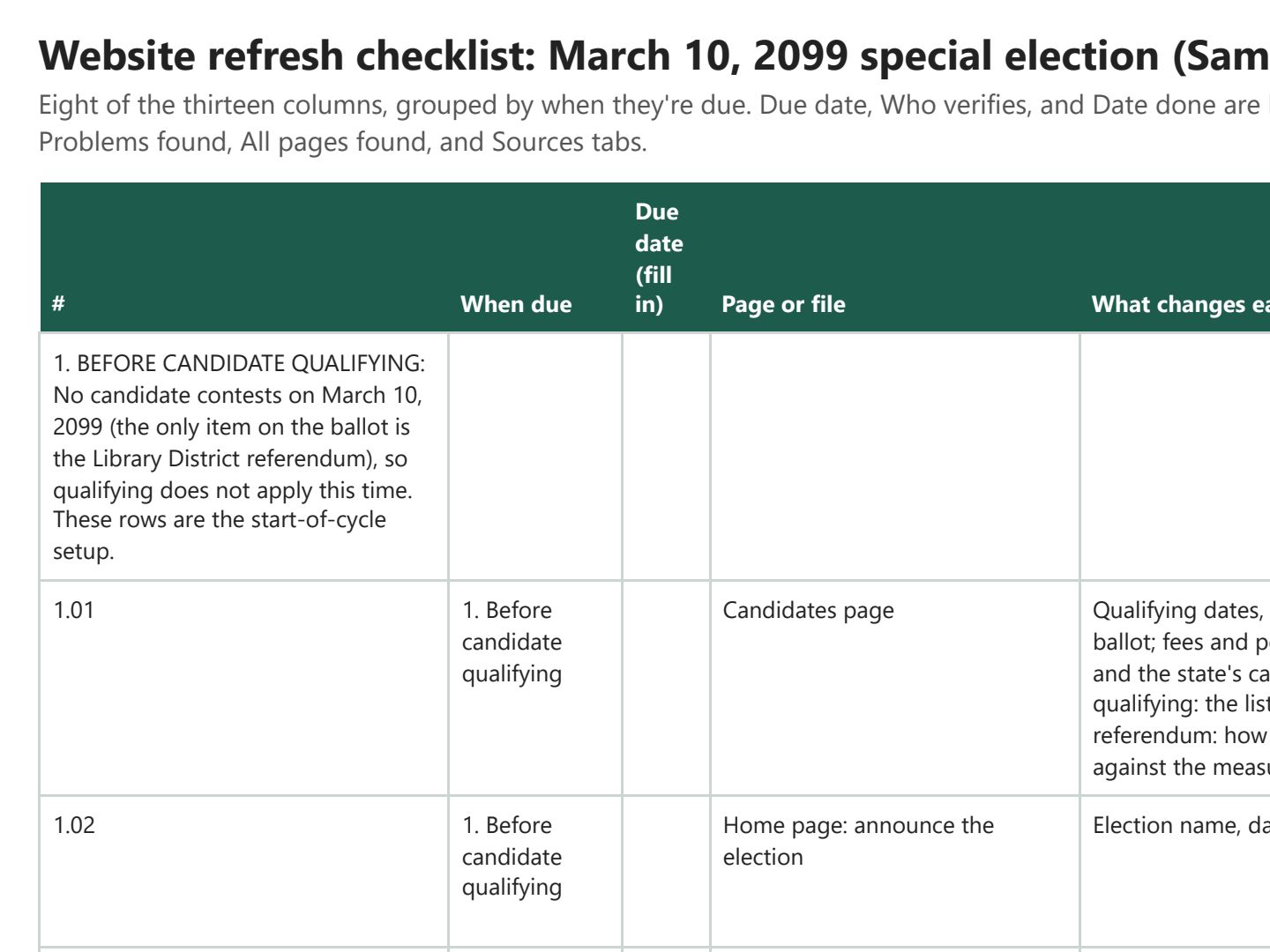 (opens the full version, PDF, 5 pages, 172 KB)
Word, Excel, and PowerPoint files download to your phone; the PDF opens first. File names end in -DRAFT because AI output is a draft until a person checks it. Web addresses shown in these samples are made-up and will not open.
Make it yours
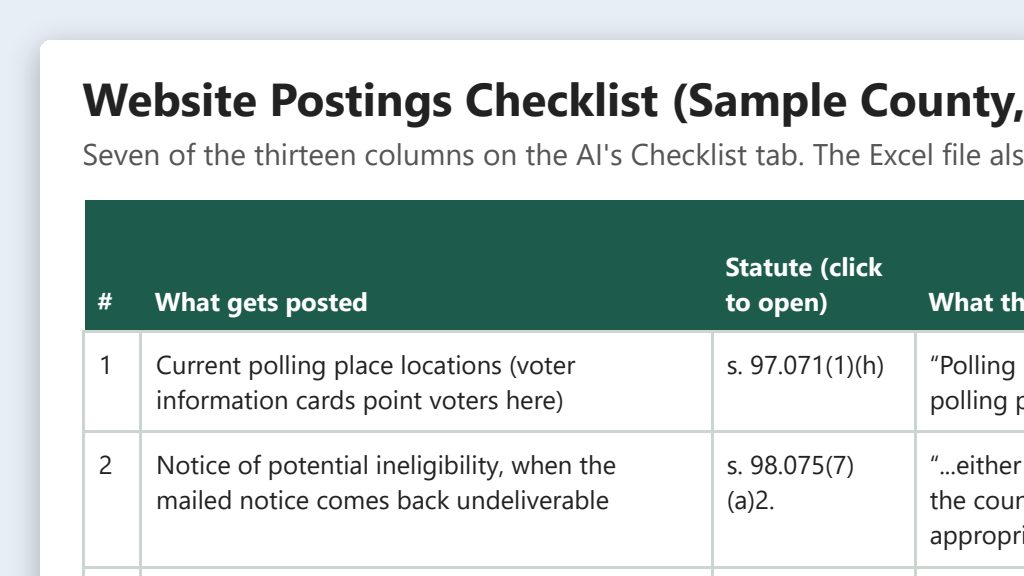
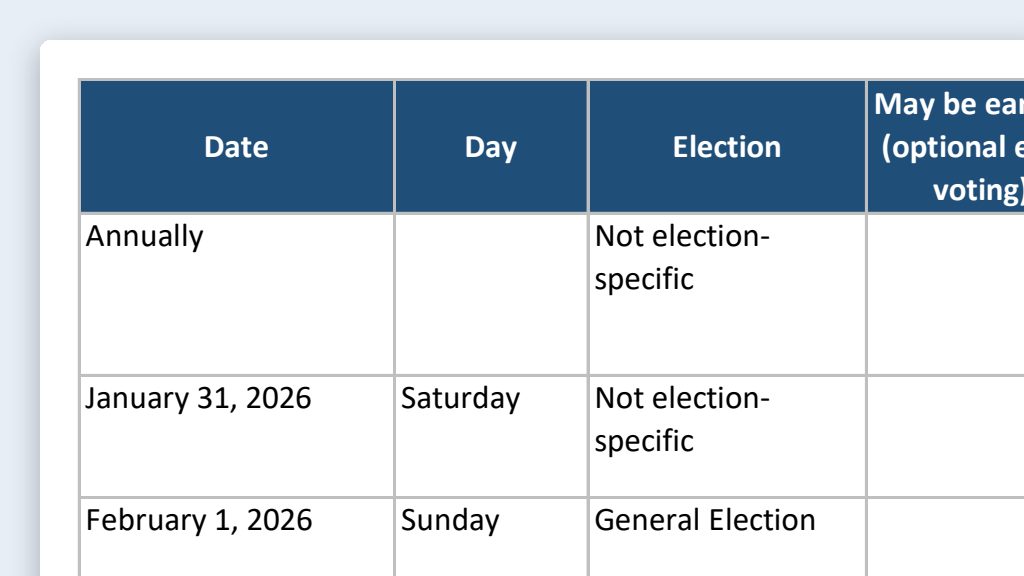
- Add the required postings. The required website postings checklist lists what Florida law says must go on your site, and when. Say “Add these required postings to the checklist,” and they get the same tracking.
- Run a full audit once a year. The website content audit catches old dates and stale links on pages that aren’t on the election checklist.
- Plan for surprises. If a storm or emergency changes the schedule, see Emergency schedule change templates.
Time: by hand vs. with AI
By hand
6–8 hours per election
AI’s part, measured
About 20 minutes
in a test run of these prompts
With AI
3 hours per election
your time, including review
About the measured time: “AI’s part” is how long the AI took, start to finish, in a test run of these prompts on September 27, 2026. It works on its own while you do something else. “By hand” and “With AI” are estimates of your own time.
Honest estimate for about 8–10 pages. The AI saves the drafting, reformatting, and hunting for old dates. It does not save the checking: comparing every date, time, and address to the official source is most of the 3 hours, and it should be.
Checking the work: what an expert looks for
You know this work, so you’re the best person to check it. Open every file it made and read every page. If part of it is outside what you know, hand that part to someone who knows it. These are the spots that most often need a fix:
- A person checks every date, time, and address against the official source, not against the AI’s draft. This is the one step you can’t skip.
- AI tools sometimes ‘remember’ Florida election dates from their training. Those can be outdated or simply wrong. Use only dates from the current official source.
- Don’t publish results links, sample ballots, or candidate lists early. If your platform lets you save a page without publishing, stage updates there until they’re approved.
- Old dates hide in banners, footers, pop-up alerts, image text, and linked PDFs. Search your whole site for last cycle’s election name and year.
- Several postings are required by law and have their own timing, like the canvassing board members’ names after the logic and accuracy test. Add them from the required postings checklist.
Last reviewed October 2, 2026.