The problem
Every election, your canvassing board meets several times, and each meeting needs a public notice that names the board members and alternates and gives an exact time and place. Most offices copy last cycle’s notice and edit it by hand. That’s where an old date, a past alternate’s name, or last year’s room number slips through. On a legally required notice, one wrong detail is a real problem.
The prompts
Start in a folder
…\AI Projects\Canvassing Board Notices\
Make the folder
On your C: drive, OneDrive, or an external drive. Your choice.
Open it in the app
Claude: Code tab → under the message box, choose Local → Open folder… ChatGPT: open Codex, click Add new project (or press Ctrl+O), then pick the folder. To add more folders later, open the project menu, choose Edit project, then Add folder.
Say what you want
Use the prompt below. Then open what it saved in the folder.
Say them out loud or type them. Change the words to fit your office. The AI goes and gets the public documents itself and saves what it makes in the folder.
Prompt 1 · Say it or type it
Draft the new notice
Our last approved canvassing board notice is in this folder, along with a file with the new details: the election, board members, alternates, each meeting's date, start time, and purpose, and the location. Make a new notice from the old one and save it as a Word document in this folder.

Keep the wording, order, and format exactly the same, including the statutory language, the appeal-record statement, and the accessibility statement. Only change the details from the new file. If the old notice has a name, date, time, room, phone number, email, or web address I didn't give you a new value for, flag it instead of carrying the old one forward.

At the end, give me a table of every detail you changed, with the old value and the new value. If you see a likely typo or wrong citation in the fixed wording, don't fix it; list it after the table.
Prompt 2 · Say it or type it
Web and social versions
The notice is approved. Turn it into a short news item for our website and a social media post, with every date, time, and place exactly as written and a link to the full notice. If there are more than a few meetings, also give me a short post with just the first meeting and the link.
What you need
- The Claude desktop app (Code tab) or the ChatGPT desktop app (Codex) and a folder called something like
Canvassing Board Notices, on the C: drive, OneDrive, or an external drive. - Your office’s last approved, published notice, saved in the folder. Use the version that actually ran (from your website archive or the newspaper), not a draft. Its standard language, like the appeal-record and accessibility statements, should be exactly as your attorney approved it.
- The new details, in a short file in the folder. Take them from their source documents: your supervisor’s approved meeting schedule, the list of board members and alternates, and a confirmed room and address. Short notes are fine. For a meeting whose purpose hasn’t changed, “same wording as last time” lets the AI reuse the old notice’s exact sentence.
Step by step
- Make the folder and save two things in it: the notice that actually ran last time, and your file of new details.
- Open it in the app. Claude: Code tab → under the message box, choose Local → Open folder…. ChatGPT: open Codex, click Add new project (or press Ctrl+O), and pick the folder. Folder projects walks through it.
- Say the first prompt. Speak it or type it. Then open the new notice from the folder.
- Check the change table. Every new value should match a source document. Anything it flagged gets filled from a source, not from memory.
- Read the whole notice, line by line. You’ve done these notices before, so a past alternate’s name or last cycle’s room number will stand out. Check every date and weekday on a real calendar yourself.
- Compare the fixed paragraphs word for word with the old notice. Word’s Compare feature works well (Review → Compare).
- Get approval from your supervisor, and your attorney if your office requires it.
- Post it at least 48 hours ahead (earlier if your policy says so), as real text on your website rather than a scanned image, so screen readers and search can read it. Keep proof of when and where it was posted, like a dated screenshot or the newspaper’s affidavit. On the day of each meeting, also post the physical notice near the public entrance (s. 102.141(2)(d), F.S.).
- Ask for the website and social versions after the notice itself is approved.
One possible outcome
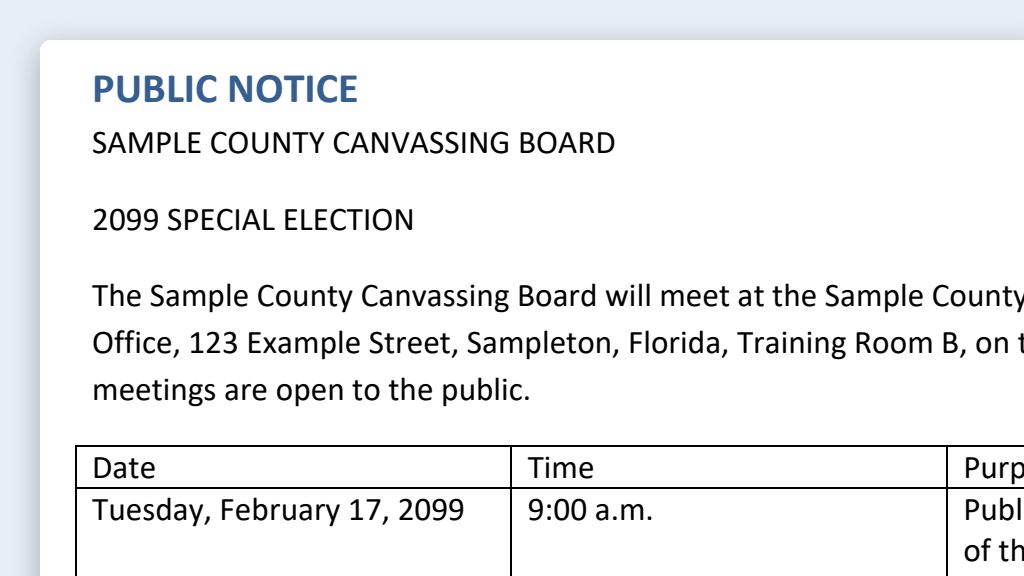
One run of the first prompt, with an approved notice and a file of new details for a made-up Sample County.
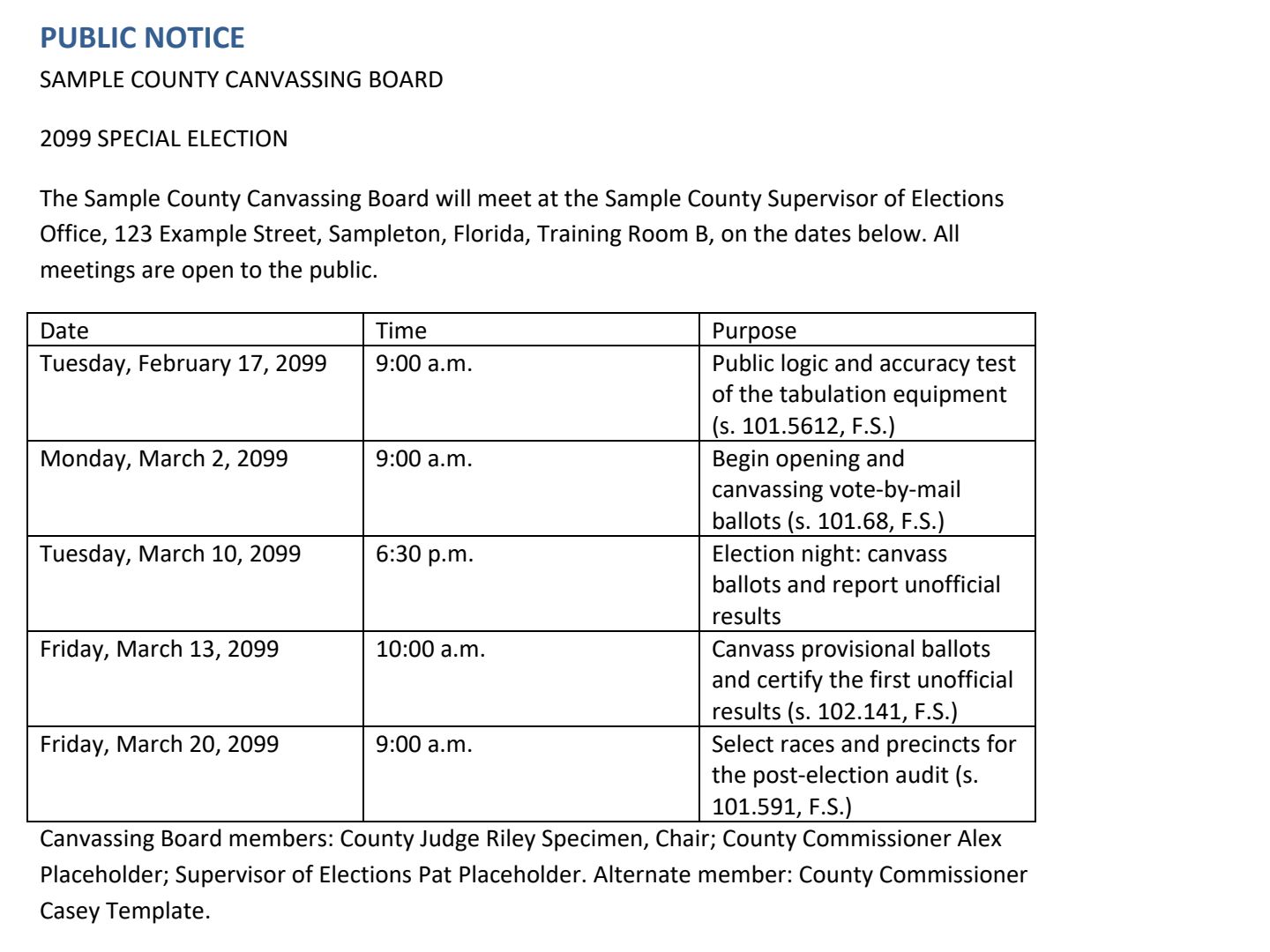 (opens the full version, PDF, 1 page, 175 KB)
Word, Excel, and PowerPoint files download to your phone; the PDF opens first. File names end in -DRAFT because AI output is a draft until a person checks it. Web addresses shown in these samples are made-up and will not open.
Make it yours
- Logic and accuracy test notices. The public test of your tabulating equipment also needs public notice at least 48 hours ahead, with the same publication options (s. 101.5612(2), F.S.). Keep an approved notice for it in the same folder and use the same prompts.
- Post-election audit notices. The canvassing board posts notice of the audit (date, time, and place) in four conspicuous places in the county and on the home page of the supervisor’s website (s. 101.591(3), F.S.).
- Last-minute changes. For a recess or a moved meeting, see emergency schedule change templates. Keep a short template ready for posting the reconvene time, too.
- Know what has to be posted, and when. The required website postings checklist helps you track it all in one place.
Time: by hand vs. with AI
By hand
30–45 minutes per notice
AI’s part, measured
About 50 minutes
in a test run of these prompts
With AI
15–20 minutes per notice
your time, including review
About the measured time: “AI’s part” is how long the AI took, start to finish, in a test run of these prompts on September 27, 2026. It works on its own while you do something else. “By hand” and “With AI” are estimates of your own time.
Estimate: most offices already copy last cycle’s notice and edit it, so the savings are modest for one notice. They add up across a cycle with several canvassing board meetings, the logic and accuracy test, and the post-election audit. The line-by-line check takes the same care either way.
Checking the work: what an expert looks for
You know this work, so you’re the best person to check it. Open every file it made and read every page. If part of it is outside what you know, hand that part to someone who knows it. These are the spots that most often need a fix:
- Check every date against its day of the week on a real calendar. AI tools often get weekdays wrong.
- Each canvassing meeting needs a specific start time, not a window like ‘9 a.m. to 5 p.m.’ (s. 102.141(2)(b), F.S.).
- Old details sneak through: a past alternate, last cycle’s room, a retired phone number, or the old election’s name inside a standard paragraph, like a recount section. Search the draft for the old election’s name and month, and check every line of the change table against a source document.
- Compare the statutory and attorney-approved paragraphs word for word with the old notice. Don’t let the AI ‘improve’ them.
- Post the notice at least 48 hours ahead, or earlier if your office’s policy says so, and keep proof of when and where it was posted.
Last reviewed October 2, 2026.