The problem
Candidates and treasurers call with the same questions every cycle. What do I file first? When is qualifying? How much is the fee? Does the check have to come from the campaign account? The answers are in the Division of Elections’ Candidate and Campaign Treasurer Handbook (PDF) and its qualifying handbooks, but those run dozens of pages. Your qualifying staff need a one-page checklist they can hand across the counter, and your website needs a short FAQ that sends people back to the official handbook for the details.
The prompts
Start in a folder
…\AI Projects\Candidate Qualifying\
Make the folder
On your C: drive, OneDrive, or an external drive. Your choice.
Open it in the app
Claude: Code tab → under the message box, choose Local → Open folder… ChatGPT: open Codex, click Add new project (or press Ctrl+O), then pick the folder. To add more folders later, open the project menu, choose Edit project, then Add folder.
Say what you want
Use the prompt below. Then open what it saved in the folder.
Say them out loud or type them. Change the words to fit your office. The AI goes and gets the public documents itself and saves what it makes in the folder.
Prompt 1 · Say it or type it
Build the checklist and FAQ
Go to the Florida Division of Elections website and download the current Candidate and Campaign Treasurer Handbook, plus the qualifying handbooks it points candidates to. Get our own qualifying guide from our website too, if we post one. Also check the Qualifying Information page for notices about law changes.

Use them to make two Word documents, saved in this folder:

1. A one-page qualifying checklist for a candidate running with a party for [County office], in three parts: before qualifying, what has to be turned in by the end of qualifying, and after qualifying. Give the form number and the printed handbook page for each item.
2. A 10-question FAQ for our website: short, plain answers to what candidates ask us most, each with its handbook page. For questions like "Am I eligible?", say we can't give legal advice and point them to the Division or their own attorney.

Leave dollar amounts and calendar dates blank for us to fill in; rules like "within 10 days" are fine. End both with the handbook's reminder that this is a summary, and the handbook and Florida law control.
Fill in anything in [brackets] with your own details.
One checklist per kind of candidate (with a party, no party, write-in, petition) and office. If this cycle’s qualifying has closed, add “for the next qualifying period.”
Prompt 2 · Say it or type it
Compare with the current forms
Now compare the handbook with the current qualifying forms on the Division's Forms page, and tell me where they differ.
Handbooks can lag behind the forms. The Forms page shows changes first.
Prompt 3 · Say it or type it
Make a desk card
Shrink the "turned in by the end of qualifying" part into a desk card for qualifying week, half a letter page (two to a sheet), with a check box and a line for initials next to each item. Save it in this folder.
What you need
- The Claude desktop app (Code tab) or the ChatGPT desktop app (Codex) and a folder called something like
Candidate Qualifying, on the C: drive, OneDrive, or an external drive. - Nothing to download yourself. The AI gets the Candidate and Campaign Treasurer Handbook (PDF) and the qualifying handbooks it points to from the Division’s Publications/Reports page, and checks the Qualifying Information page for notices. As of September 2026, the 2026 edition of the Candidate and Campaign Treasurer Handbook is marked “Rev. 07/14/2026.” If your office posts its own qualifying guide or workshop slides, the AI gets those from your website too. They’re often the best local source, because the state’s qualifying handbook is written for candidates who file with the Division.
- Last cycle’s checklist or FAQ (optional). If your office already hands candidates one, put it in the folder and ask the AI to keep your format and point out anything the new handbook changed. See context is king.
- Your local details, for you to fill in after: your office’s official qualifying fee list, local qualifying dates, office hours, address, and phone number. The state handbooks don’t have these.
Step by step
- Make the folder and open it in the app. Claude: Code tab → under the message box, choose Local → Open folder…. ChatGPT: open Codex, click Add new project (or press Ctrl+O), and pick the folder. Folder projects walks through it.
- Say the first prompt. Speak it or type it, with the type of office you’re working on. It downloads the handbooks into the folder and saves the two documents.
- Check the revision date on the cover of each handbook it downloaded, then say the forms follow-up. Handbooks can lag behind the newest forms.
- Open both documents and read every item. If you’ve worked a qualifying period, a missing form or a wrong deadline will stand out. Check each item against the page it cites. Make sure the checklist really fits on one page, too. The AI can’t see the printed page, and a full list is tight. Required qualifying items are listed in the law at s. 99.061(7)(a), F.S., which is a good cross-check.
- Fill in fees and dates from official sources. The fee formula is in s. 99.092, F.S. (a percentage of the office’s annual salary), but the dollar amounts come from your office’s official fee list, not from the AI’s math. Dates come from the Division’s Qualifying Information page and your official election calendar.
- Get the right people to read it. If you’re not the qualifying lead, have them read both documents. Anything that reads like a legal interpretation goes to your office’s attorney. Tell the AI what’s wrong in plain words, and it fixes both files.
- Add a footer with the revision date: “Summary only. The handbook and Florida law control. Revised [Date].”
- Publish the FAQ with links to the Division’s pages, not a copy of the PDF. Keep the folder. When the Division posts a new edition, ask the AI to download it, compare it with the old one, and update both documents for what changed.
One possible outcome
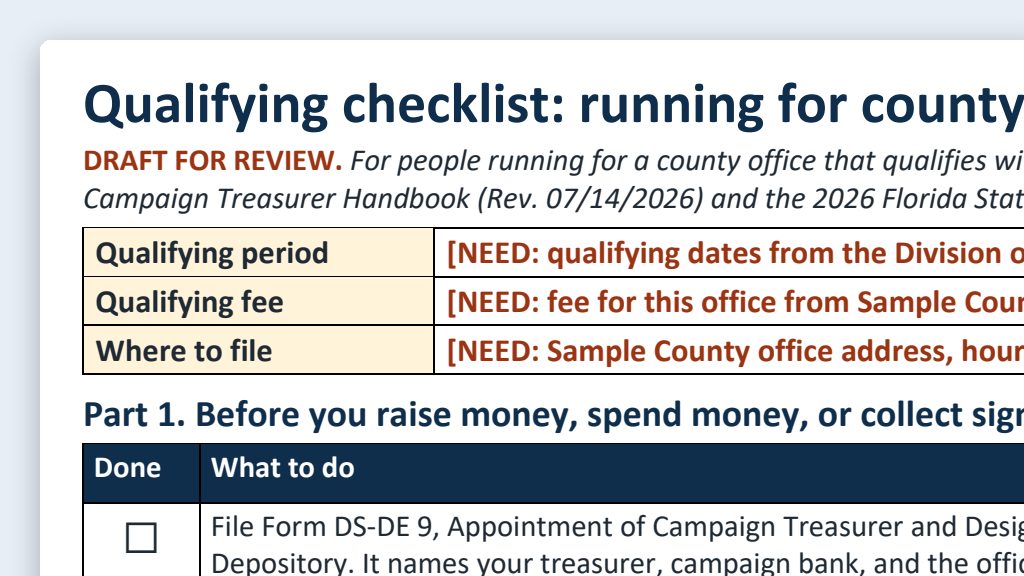
From the candidate qualifying kit in the Examples Gallery, built from the 2026 handbook for a made-up Sample County.
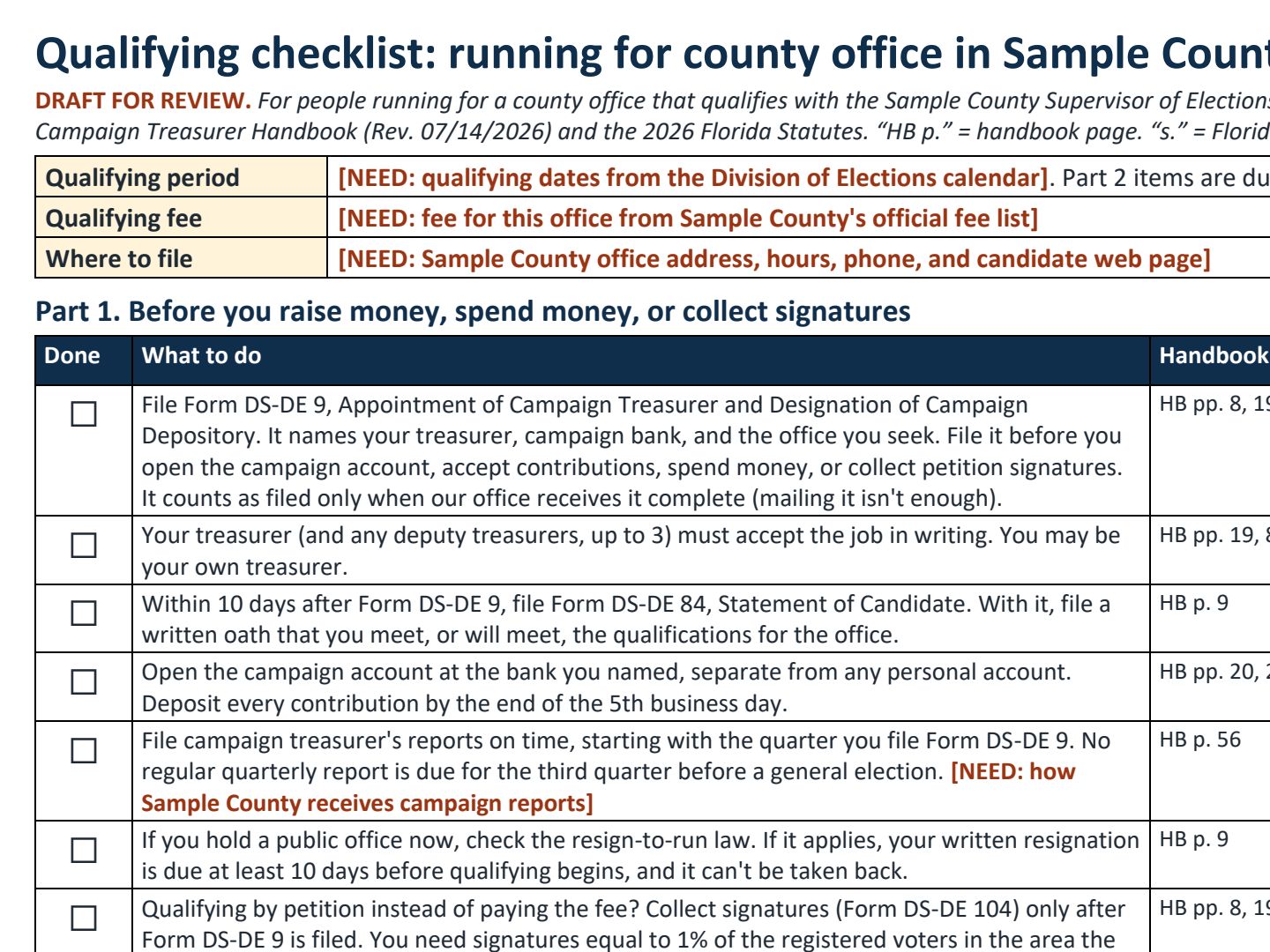 (opens the full version, PDF, 1 page, 308 KB)
File names end in -DRAFT because AI output is a draft until a person checks it. Web addresses shown in these samples are made-up and will not open.
Make it yours
- One checklist per office type. Special district, write-in, and petition candidates each have different steps. For example, write-in candidates don’t pay a filing fee, election assessment, or party assessment (s. 99.061(4)(b), F.S.).
- Plain-language pages for statutes candidates ask about. See plain-language statute explainers. Keep the citation, and have your attorney check the meaning.
- Put the dates on your calendar. The election calendar builder turns official dates into a checked, shareable calendar.
Time: by hand vs. with AI
By hand
4–6 hours
AI’s part, measured
About 30 minutes
in a test run of these prompts
With AI
1–1.5 hours
your time, including review
About the measured time: “AI’s part” is how long the AI took, start to finish, in a test run of these prompts on September 27, 2026. It works on its own while you do something else. “By hand” and “With AI” are estimates of your own time.
Estimate: the AI downloads the handbooks and drafts both documents on its own (about 30 minutes in a test run). Most of your time goes to checking each item against the handbook and the statute, filling in fees and dates from official sources, and having your qualifying lead review it. Plan to redo it whenever the Division revises a handbook.
Checking the work: what an expert looks for
You know this work, so you’re the best person to check it. Open every file it made and read every page. If part of it is outside what you know, hand that part to someone who knows it. These are the spots that most often need a fix:
- Don’t let the AI state or calculate qualifying fees or dates. Dates come from the Division’s Qualifying Information page and the official election calendar. County office fees come from your office’s official fee list. Check every number yourself.
- Check the revision date on each handbook it downloaded, and look at the Division’s Qualifying Information page for notices before each qualifying period. Laws can change in the middle of an election year.
- Staff don’t decide eligibility or give legal advice. The filing officer’s review is ministerial: whether each required item is filed and complete on its face (s. 99.061(7)(c), F.S.). Send legal questions to the Division or the candidate’s own attorney.
- Different offices have different rules (county, special district, judicial, school board, write-in, petition). Make a separate checklist for each instead of one merged list.
- On your website, link to the Division’s publications page instead of posting your own copy of the PDF, so people always get the current edition.
Last reviewed October 2, 2026.