The exact prompt
Older prompt style, kept because it is what produced these files. Today’s style is shorter: say what to do, what to use, and what you want back. See the matching use case for the current prompt.
Say it or type it
Prompt used for this example
I work at the Sample County Supervisor of Elections office in Florida. I've attached our public poll worker materials: the state's Polling Place Procedures Manual (Form DS-DE 11, Eff. 07/24, adopted by Rule 1S-2.034, F.A.C.) and the Online Sunshine pages for sections 97.041, 100.011, 102.012, and 102.014, Florida Statutes.

Build a 10-slide recruitment presentation for people who are THINKING ABOUT becoming poll workers. They have not signed up yet. The audience is people who stop at a poll worker recruitment table at the public library or hear a short talk at a civic club.

For each slide, give me:
- a short title (under 8 words)
- 3 to 5 bullet points in plain language (8th-grade reading level)
- a one- or two-sentence speaker note
- an idea for an icon or simple graphic

Cover: why it matters, what poll workers do, the positions, who can serve, training, the Election Day schedule, pay, common questions, and how to sign up.

Rules:
- Use only facts from the attached documents. If something is missing (like pay rates, training dates, or the sign-up link), write [NEED: what's missing] instead of guessing.
- Do not suggest photos of ballots, voting equipment screens, or real people.
- After the slides, list every fact you used and the page or section it came from.
Fill in anything in [brackets] with your own details.
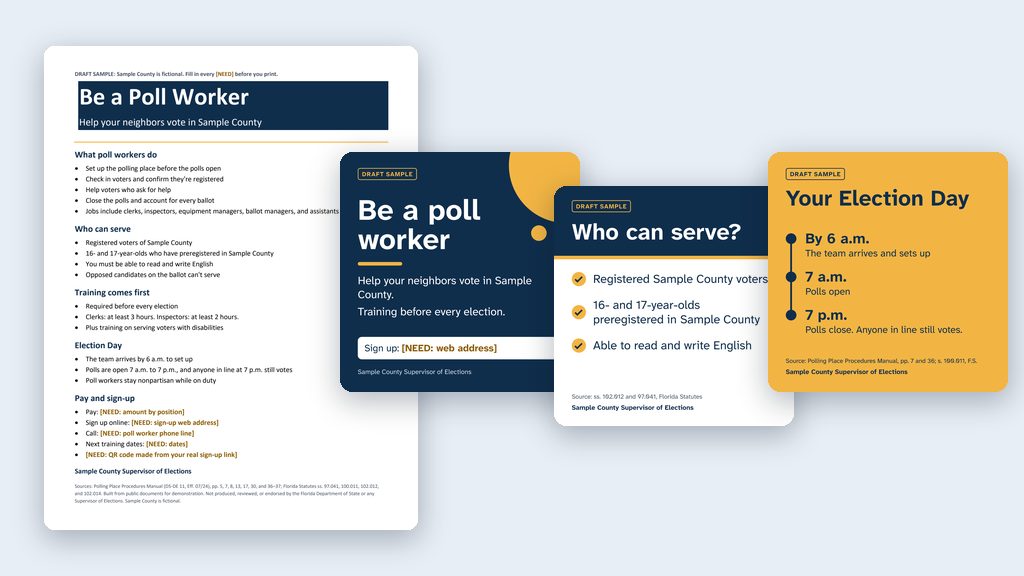
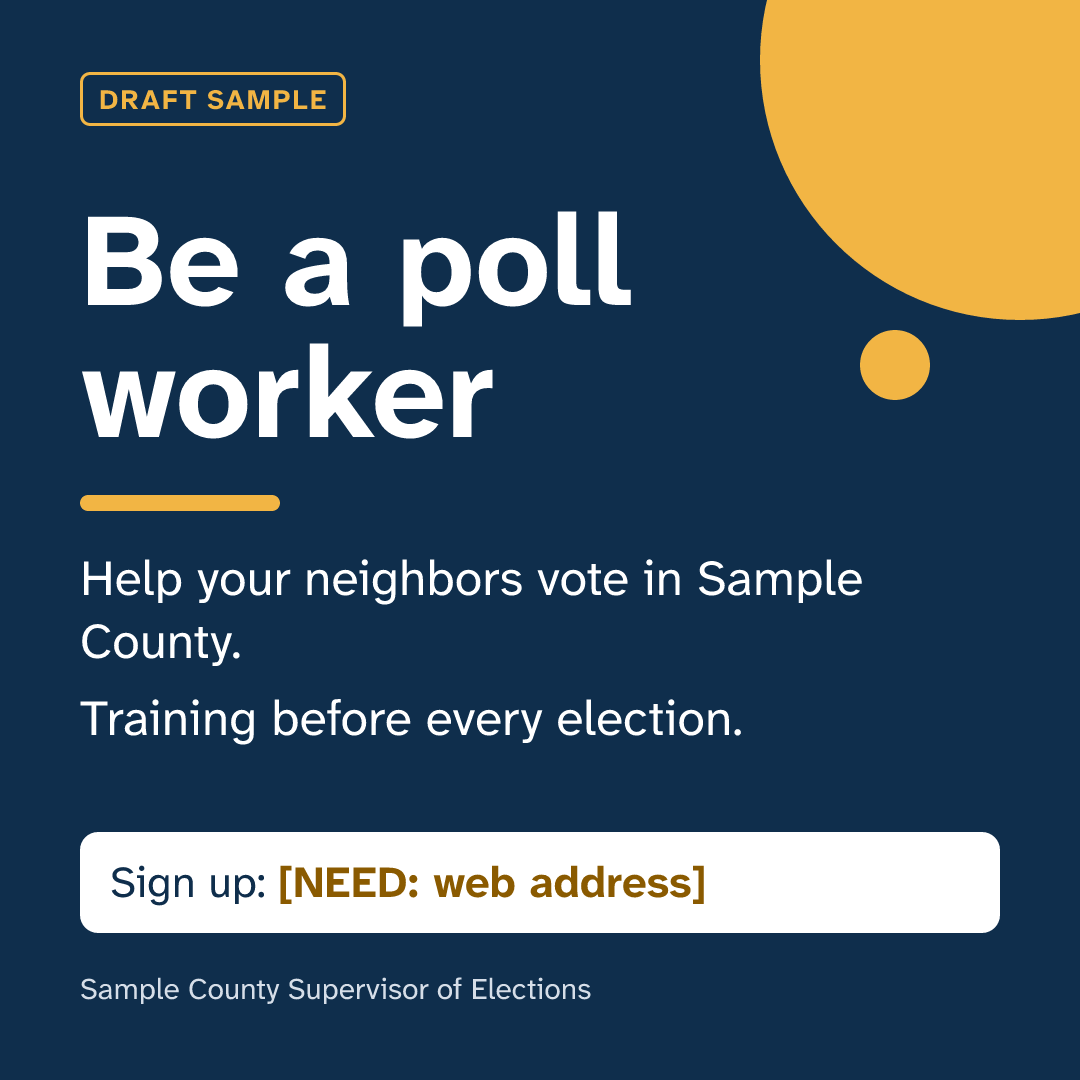
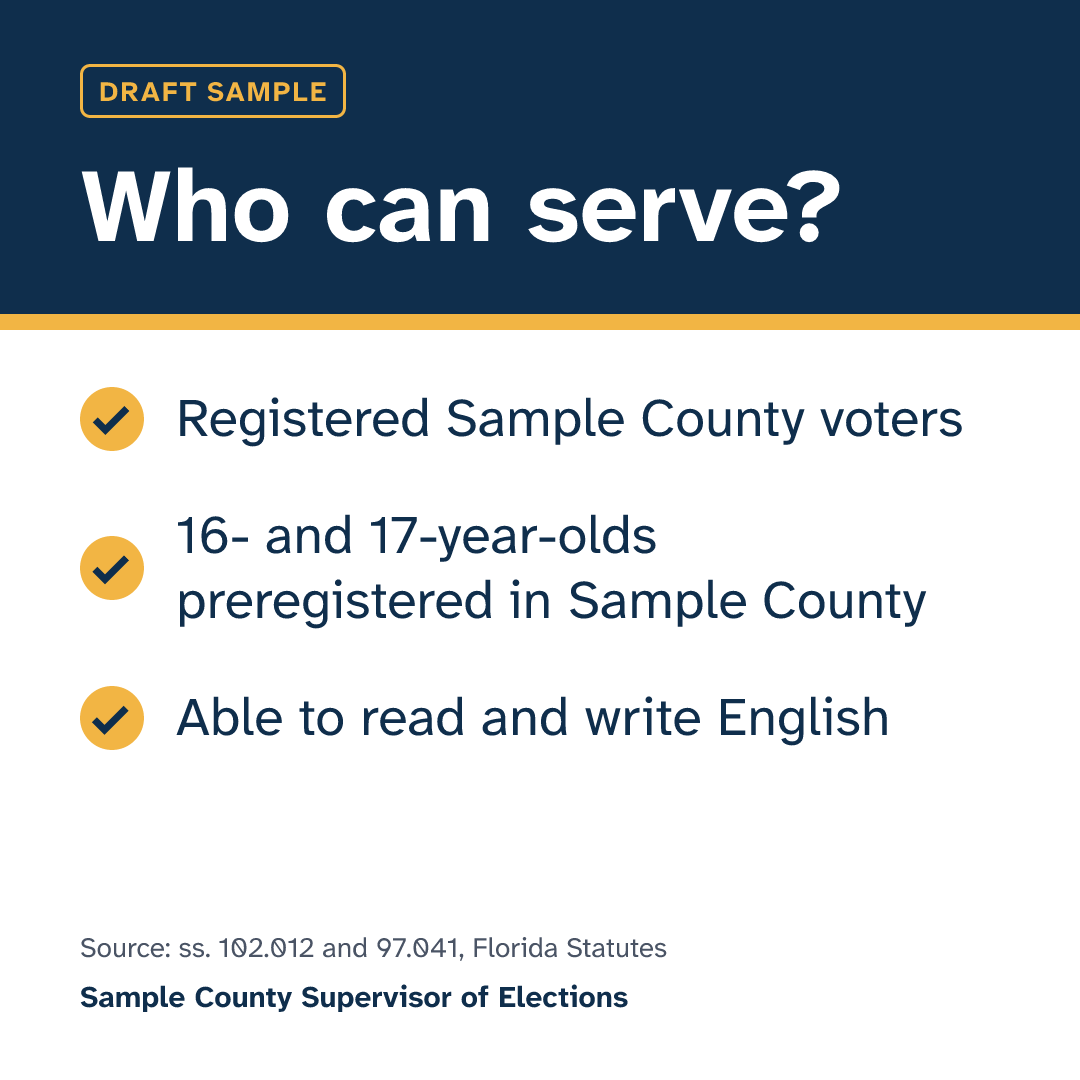
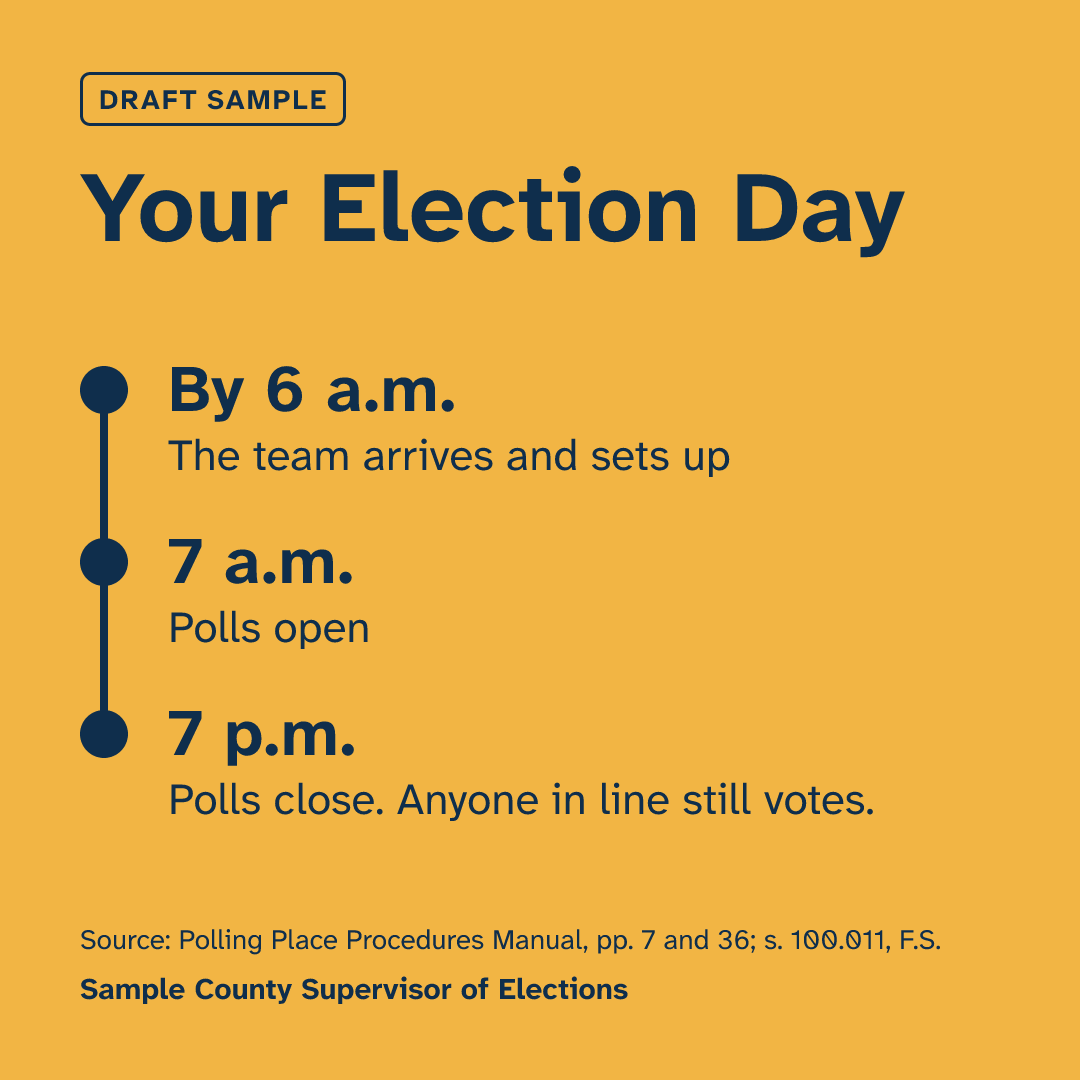
The deck, posts, flyer, and graphics from one run of the prompt above, for a made-up Sample County, built from the July 2024 state manual. Spots only your county knows are marked [NEED: …].
The graphics
Want this for your county? Here’s how to do it yourself
- Read the recruitment deck use case. It has the current prompt and the checks that matter most (who can serve and training hours).
- Make a folder, such as
Poll Worker Decks, on your C: drive, OneDrive, or an external drive. Open it in the Claude desktop app (Code tab, then under the message box choose Local and Open folder…) or the ChatGPT desktop app (open Codex, click Add new project or press Ctrl+O, then pick the folder). To add more folders later, open the project menu, choose Edit project, then Add folder. See Folder projects. If you have your own county’s public poll worker materials, put them in the folder too. - Say the use case’s prompt with your county’s name. The AI downloads the current manual from the Division of Elections Forms page into the folder and saves the decks there. Check the date on the manual’s cover.
- Click through every slide and read every post. You know the job, so a wrong hour or a wrong rule about who can serve will stand out. For anything that looks off, open the manual to the page the AI cites.
- Check pay, report time, training dates, and the sign-up link against your office’s current, approved information, and fill in anything still missing. Never let AI guess pay, dates, or links.
- For the posts, use One message, five platforms in the same folder, so the posts use the same facts. Paste each post into the platform’s composer to confirm it fits.
- For graphics, a clean text-only design like the ones above leaves nothing to double-check. If you use an image tool, follow On-brand image prompts, with firm limits, and add alt text to every image.
- Get your office’s approval before anything is posted or printed.