The exact prompt
Older prompt style, kept because it is what produced these files. Today’s style is shorter: say what to do, what to use, and what you want back. See the matching use case for the current prompt.
Say it or type it
Prompt used for this example
I work at the Sample County Supervisor of Elections office in Florida. Our office is the filing officer for county offices and single-county special districts. Download this public document from the Florida Division of Elections into a folder named "source-docs" and use it:
- Candidate and Campaign Treasurer Handbook, revised Rev. 07/14/2026 (from https://dos.fl.gov/elections/forms-publications/publicationsreports/)

Make a one-page qualifying checklist for a person running for a partisan county office. Use three sections:
1. Before qualifying (what to file first, and when)
2. Items that must be received by the end of qualifying
3. After qualifying (reports and other ongoing duties)

For each item give: a plain-language description, the form number if the handbook gives one, and the handbook page it comes from. If the law requires an item that the handbook doesn't cover, cite the Florida Statutes section instead, using the current statutes on Online Sunshine (leg.state.fl.us).

Rules:
- Use only the handbook and the current Florida Statutes on Online Sunshine. Don't use your general knowledge or older editions.
- Do NOT state or calculate qualifying fee amounts or any calendar dates. Write [NEED: qualifying fee from our official fee list] or [NEED: qualifying dates from the Division of Elections calendar] instead.
- Don't say whether any particular person is eligible or qualified.
- If the handbook and the law are unclear or seem to conflict, flag it with [CHECK: what's unclear]. Don't pick an answer.
- End with a line saying the checklist is a summary, not legal advice, and that the handbook and Florida law control.

Then make three more files from the same sources:
- A 2 to 3 page FAQ with 12 to 15 questions our qualifying desk hears, 2 to 4 short sentences each at an 8th-grade reading level, each ending with "Source:" and the handbook page and statute. If a question needs a legal judgment, say our office can't give legal advice and point to the handbook, the Division of Elections, or the candidate's own attorney.
- An 8 to 10 slide PowerPoint for a candidate information session called "Thinking about running for county office?" Every slide needs a title, text of 20 point or larger, and speaker notes with handbook page cites.
- Posts announcing the qualifying period for Facebook, Instagram, X, Nextdoor, and LinkedIn, each within the platform's limit with a character count, and alt text for a simple text graphic. Keep them neutral and nonpartisan.

Make the PDFs tagged for screen readers. Mark every file DRAFT FOR REVIEW. Use "Sample County" wherever a county name appears. Finally, write a script that checks every cited phrase and number against the handbook page and statute it cites, and tell me what it found.
Fill in anything in [brackets] with your own details.
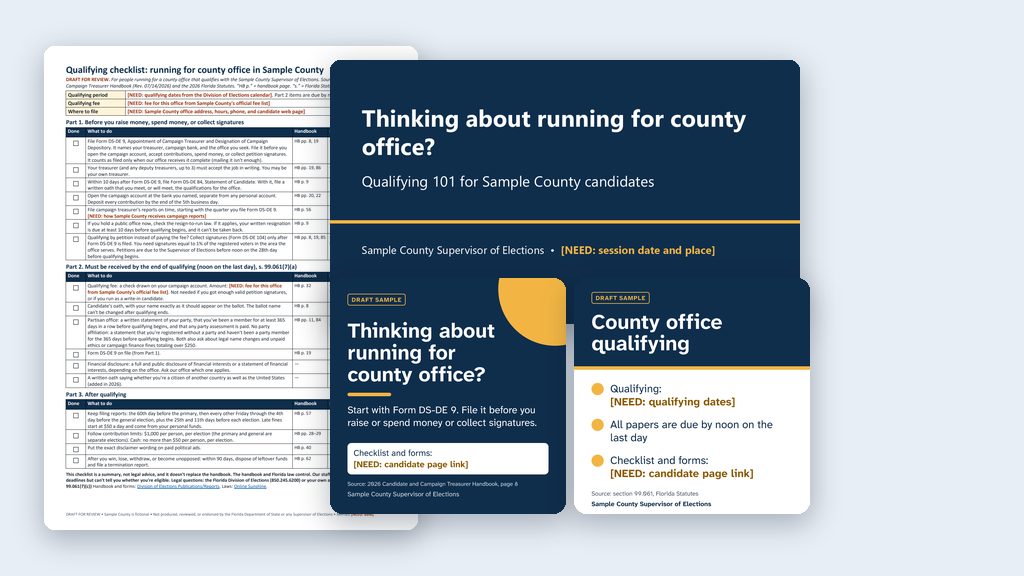
The checklist, FAQ, deck, posts, and text cards from one run of the prompt above, for a made-up Sample County, built from the 2026 handbook. Every fee and date stays a [NEED: …] until you fill it in from an official source.
What the law says now
Which changes are already law. The qualifying changes (ch. 2026-25 (PDF) and sections 10 to 12, 26 and 27 of ch. 2026-26) took effect April 1, 2026. Sections 25, 28 and 30 took effect July 1, 2026, including the foreign-national contribution rule in s. 106.08(12), F.S. Most of the rest of ch. 2026-26 takes effect January 1, 2027. Different parts of the law have different dates, so read the History line at the bottom of a statute on Online Sunshine before you rely on its text.
Note on the 365 days. The handbook (p. 11) says “365 days.” The 2026 statute says “at least 365 consecutive days.” The files use the statute’s wording. That wording, and the rule that a party candidate has not changed their name by petition in those 365 days, first came from ch. 2026-25 (PDF), which took effect April 1, 2026. The handbook also doesn’t mention the two oaths added in 2026 (qualifications and dual citizenship), so those lines cite the statute only. Have your qualifying lead and your office’s attorney confirm these before you use the kit.
Name changes before April 1, 2026. The Secretary of State’s Directive 2026-02 (PDF), dated April 22, 2026, says a candidate who changed their name by petition (s. 68.07, F.S.) within the 365 days before qualifying, but before April 1, 2026, may qualify under the name they had before the change. The kit’s files don’t cover this.
Challenges to a candidacy. Since April 1, 2026, s. 99.0211, F.S. lets a candidate, or a party with a candidate in the same race, sue to challenge whether a candidate meets the requirements for the office. After a final court order, the supervisor removes the candidate’s name from the ballot or, if ballots are already printed, includes a notice with each vote-by-mail ballot and posts a notice at each early voting location and polling place. The kit’s files don’t cover this either; ask your office’s attorney how your office handles a court order.
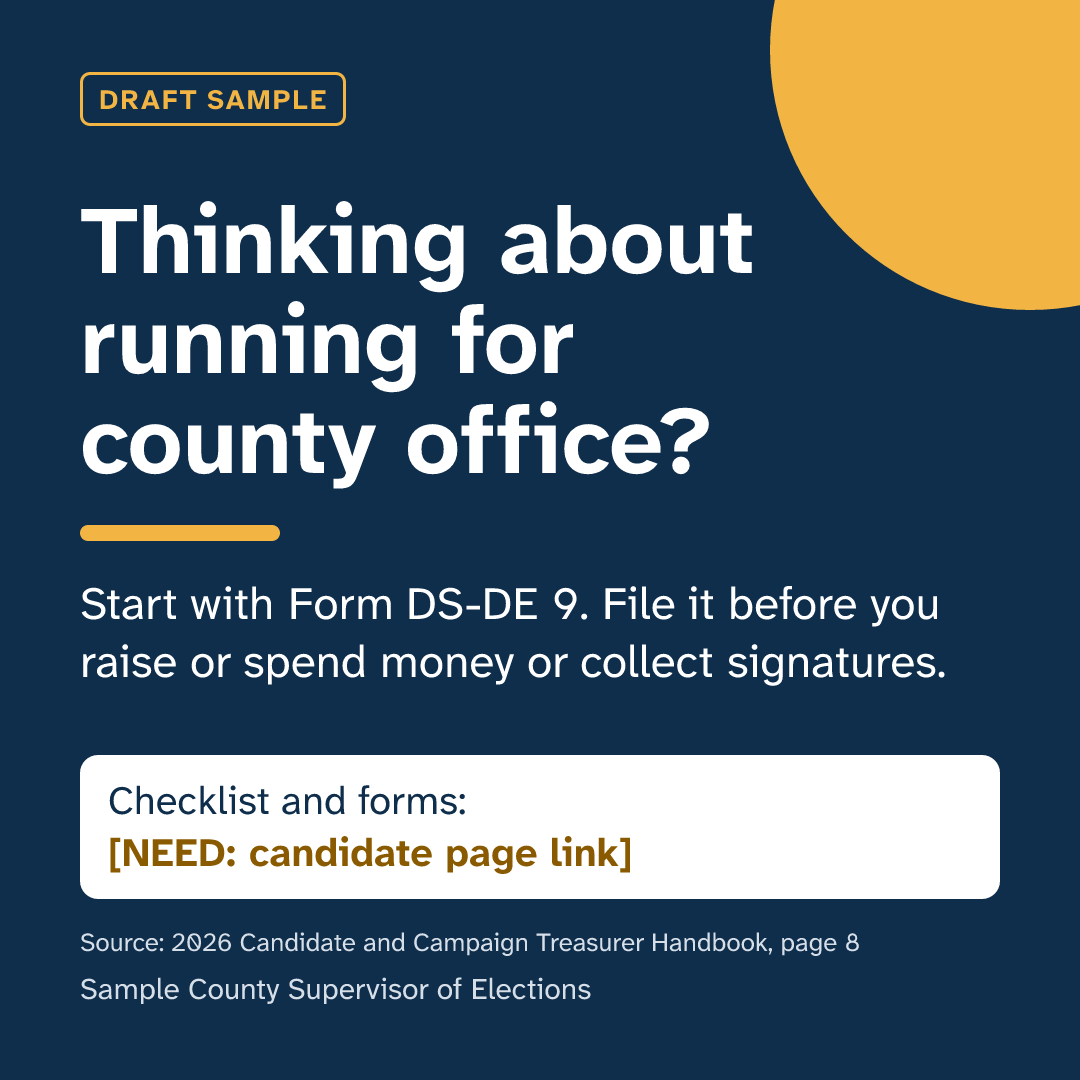
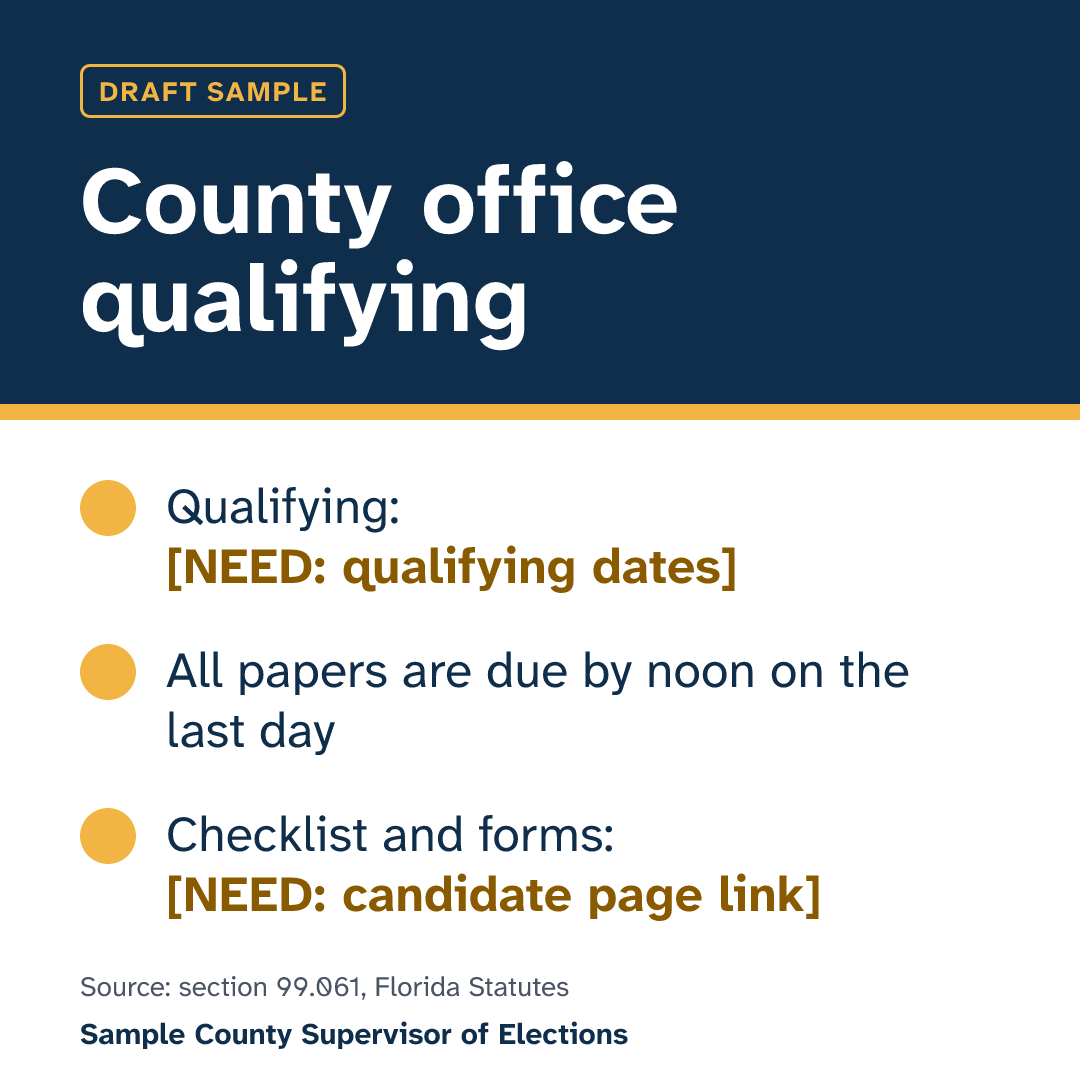
The two ready-made text cards
Want this for your county? Here’s how to do it yourself
- Read the candidate handbook quick reference use case. It explains which handbooks to use and why every fee and date stays a
[NEED: …]until you fill it in from an official source. - Make a folder for the kit, such as
Candidate Qualifying, on your C: drive, OneDrive, or an external drive. Open it in the Claude desktop app (Code tab, then under the message box choose Local and Open folder…) or the ChatGPT desktop app (open Codex, click Add new project or press Ctrl+O, then pick the folder). To add more folders later, open the project menu, choose Edit project, then Add folder. See Folder projects. (Check with your IT staff before installing either app on a county PC.) - Say the prompt from the use case, or copy the longer prompt above. Change “Sample County” to your county and the office type to the one you’re handling. Make one kit per type of office.
- Watch what the AI downloads into the folder. The handbook should come from the Division of Elections, and every statute from Online Sunshine.
- Read every page. If you work the qualifying desk, a wrong deadline, a missing form, or a rule for a different kind of office will stand out. For anything that looks off, or anything marked “not in the handbook,” open the handbook page or the statute it cites and read it.
- Fill in every date, fee, and local detail from official sources, including any
[NEED: …]spot: dates from the Division’s calendar, the fee from your office’s official fee list, and your own address, hours, phone, and links. - Have your qualifying lead review everything, and your office’s attorney review the “we can’t give legal advice” wording. Then take “DRAFT” off and date it.